
CRM Database: The Complete Guide to Understanding It All
What is a CRM database? Structure, essential fields, and best practices to secure and leverage your sales data.

In short
10 min read
A CRM database centralizes customer information to optimize marketing, sales actions, and customer relations.
Data quality is a strategic challenge, as an obsolete or inaccurate database can decrease annual revenue by 10 to 20%.
The CRM and its database are inseparable: the latter acts as storage infrastructure, while the former serves as an exploitation and management tool.
A high-performance CRM database aggregates internal sources (ERP, support) and external sources (web forms, marketing automation) via technical integrations.
The rigorous structuring of a CRM database, including mandatory fields and drop-down lists, is essential to guarantee the consistency and reliability of the collected information.
Artificial intelligence strengthens the efficiency of data management by automating anomaly detection, duplicate cleaning, and profile enrichment.
On average, 20 to 30% of CRM data becomes obsolete each year. Duplicates, outdated information, lack of validation during entry, or a lack of initial structuring: data degradation is a structural phenomenon.
A CRM database is a structured system that centralizes all customer and prospect data to effectively manage customer relations, marketing actions, and sales performance.
Its quality is therefore decisive. Inaccurate or duplicated data distorts analyses, slows down teams, and degrades the customer experience. According to various studies, poor data quality can represent up to 10 to 20% of a company's annual revenue.
This issue is even more critical for companies working with distribution networks, multiple points of sale, or complex organizations, where the volume and frequency of data updates are high.
So, how do you structure, maintain, and effectively exploit a CRM database?
This guide offers a complete exploration of the subject. We will start by precisely defining what a CRM database is, before analyzing its benefits, its management challenges, and the analysis methods to maximize its potential. We will also address recent developments, notably artificial intelligence, which is deeply transforming the exploitation of customer data.
What is a CRM database?
As a reminder, a CRM (Customer Relationship Management) is software designed to manage and analyze interactions with customers and prospects, with the main objective of increasing sales and improving customer satisfaction.
→ To achieve this, the necessary data must be centralized, stored, and organized in a single space: the CRM database.
This essential component of any company's performance thus needs to be constantly enriched and updated. To do this, all employees involved in acquiring or retaining customers - whether from sales, marketing, or customer service teams - are required to fill out the CRM.
In short, the CRM database is the strategic asset that guarantees effective and consistent management of customer relationships.
Generally, the CRM database also aggregates data from third-party marketing tools and platforms, which can be connected to the CRM through integrations. This makes it the single source of truth for analyzing sales activity, tracking the progress of a quote, or evaluating the results of a marketing campaign.
🔧 Technical Functioning
A database is an organized system for storing, managing, and retrieving information. It is composed of tables with rows (records) and columns (fields), where each record represents a unique item, like a customer, and each field contains a specific piece of information, like a name or an address. In a CRM, these databases store customers' contact details, interactions, preferences, and purchase history. The CRM uses an interface connected to the database to allow employees to enter, modify, and consult this information.
❤️ CRM and Database: A Strong Bond
Database and CRM are closely linked, and for good reason: a CRM cannot function without a database. The CRM is the tool used to leverage the data. The database is the infrastructure that stores this data. In other words, the database is the sheet music, and the CRM is the conductor that interprets and adds value to the whole.
The Benefits of a Quality CRM Database
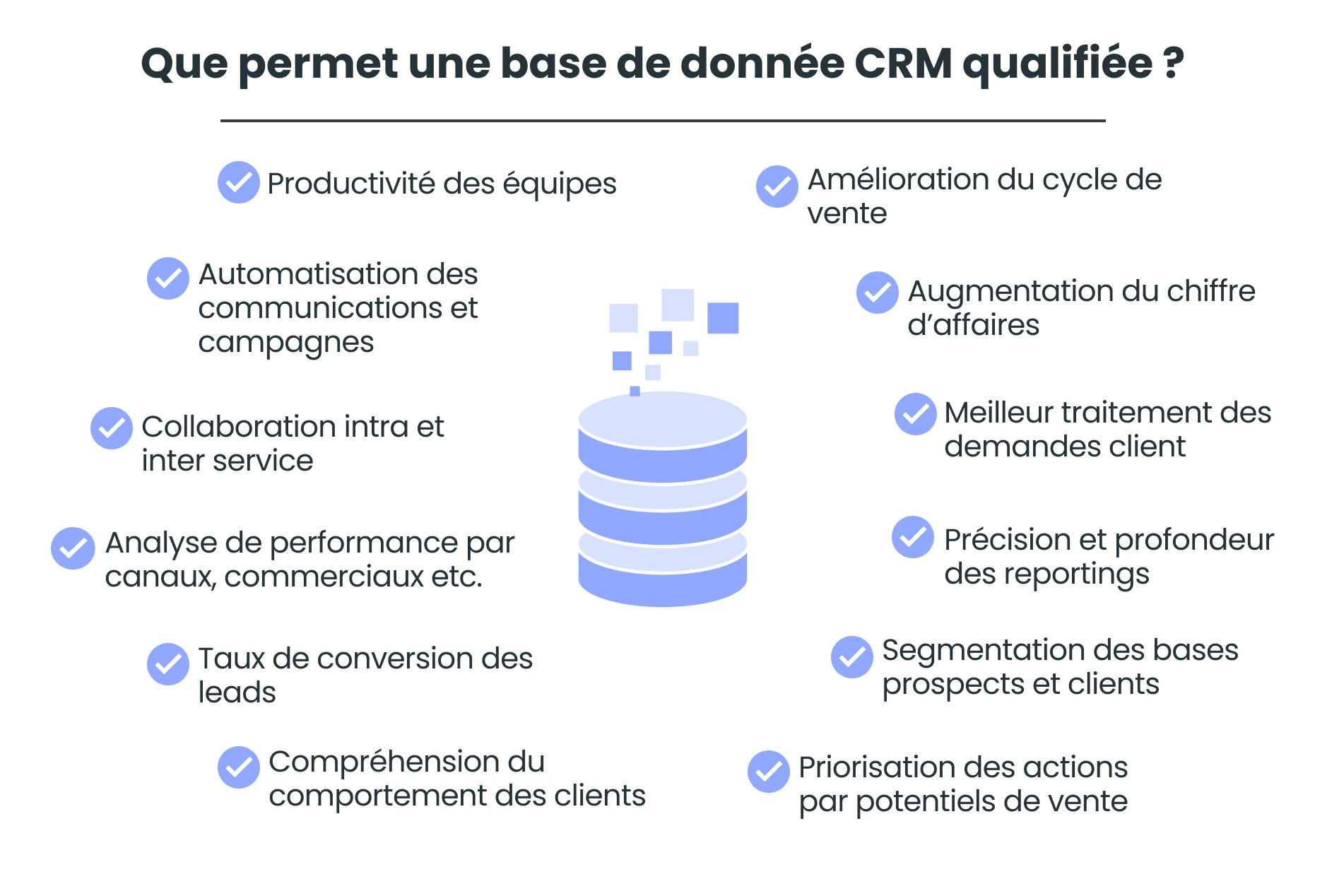
The CRM database centralizes all information and events related to the "customer life cycle," offering different teams interacting with customers and prospects a complete and instant view of interactions, current offers, needs and sales proposals, progress in the sales relationship, and other potential disputes.
Having complete, up-to-date, and quality customer and sales data is therefore a major challenge for all CRM users and helps maintain a good sales and customer relationship.
🤝 Inside and Field Sales Representatives
Sales reps and telesales agents are the primary beneficiaries of a qualified CRM database. On a daily basis, they derive multiple benefits from it:
Maximize their productivity;
Instantly access customer history and personalize their approach;
Prioritize and target accounts to prospect;
Develop cross-selling and up-selling;
Track leads and generate sales opportunities;
Record interactions with customers and prospects;
Maintain a transaction history;
Follow up on lost prospects and customers.
👩🏻💻 Marketing Teams
A well-qualified database greatly facilitates various marketing missions, whether they involve campaigns, segmentation, or communications automation:
Segment and target customers;
Automate email campaigns (B2B and B2C);
Plan, execute, and evaluate targeted campaigns;
Understand customer behaviors and preferences.
📞 Support and After-Sales Services
An accurate and up-to-date overview of customer accounts promotes efficiency in ticketing for helpdesk teams. Customer service benefits from a complete and updated database to efficiently handle requests and offer the best possible experience:
Access customer interaction history with the company;
Provide more efficient and personalized support;
Record and track support requests;
Resolve issues and ensure continuous customer satisfaction.
👨💼 Direction and Management
In terms of management, the quality of stored information makes it possible to prioritize actions based on sales potential and chances of success in the short, medium, and long term.
Furthermore, a centralized business information base makes it possible to generate sales reporting, in order to make strategic decisions on sales policies and commercial and marketing strategies.
As we will see below, advanced analysis may require hiring a data science expert to extract, analyze, and interpret sales data.
Origin and Integration of Data into the CRM
Whatever your industry, the quality of your CRM data is crucial: inaccurate or obsolete information can distort analyses, harm customer relations, and lead to missed opportunities as well as inefficiency in marketing and commercial actions.
The main challenge for companies is therefore to benefit from a clean, qualified, structured, and up-to-date CRM database.
CRM Data Sources (Internal + External)
A high-performing CRM database relies above all on the quality and diversity of its sources. To effectively structure your system, it is essential to precisely identify where your customer data comes from.
Generalist CRM Data
Existing Customer Databases
Even before collecting new information, most businesses already have customer databases: Excel files, old sales software, ERP, billing tools, or legacy CRM solutions.
These databases often form the initial foundation of the new CRM database. During a tool change, CRM data migration is a critical step. Their migration and integration still require preparatory work: deduplication, format harmonization, validation of emails and phone numbers, field structuring (company name, identifier, sector, status, etc.).
This step highlights a fundamental point: the company must remain the owner and master of its data. Today, the European regulatory framework is evolving in this direction. The European Data Act reinforces the principle of data portability and interoperability, requiring that companies can retrieve and transfer their data from one provider to another. In other words, a software company cannot lock out access to its clients' data.
Support / Ticketing
Customer service tools feed the CRM with the history of requests, incidents, and satisfaction levels. This source is strategic for enriching the 360° view of the customer and adjusting sales actions.
Marketing CRM Data
Forms / Website
Contact forms, requests for quotes, newsletter subscriptions, or content downloads constitute a primary source of data. This info is generally injected automatically into the CRM via real-time customer data integration.
It is important to integrate validation rules (email format, mandatory fields, standardized country) to guarantee quality right from the collection phase.
Emailing / Marketing Automation
Emailing and marketing automation tools enrich the CRM database with behavioral data: opens, clicks, downloads, scoring, preferences.
Synchronization between these platforms and the CRM allows for updating marketing information and improving segmentation.
Sales CRM Data
ERP / Billing
The ERP provides key transactional data: orders, invoices, payments, volumes, pricing conditions. CRM-ERP integration aligns sales and finance teams around unified and up-to-date data.
Field Audits / Mobile Applications
In certain sectors (retail, industry, supermarkets, field B2B), mobile applications allow for uploading operational data: visits, shelf checks, reports, photos, signatures.
This data must be synchronized quickly to ensure a continuous update of the CRM base.
POS / Cash Register / Sell-out (Retail)
Point-of-sale (POS) systems transmit information on sales volumes, product references, purchase frequency, or store performance.
In an advanced CRM analysis logic, this transactional data allows for correlating commercial actions with real results.
Integration: How Does It Work?
The integration of customer data relies on technical mechanisms to connect several tools together. This step, often called CRM data integration, is structural to guarantee the consistency and reliability of the database.
APIs and Native Connectors
APIs permit automated communication between software. Native connectors (ERP, marketing automation, support...) facilitate exchanges without specific development. It is the most reliable method to ensure continuous synchronization.
CSV Imports
Importing CSV files remains a common method, especially during a migration or a data recovery. It requires prior structuring work (field mapping, formatting standardization, duplicate removal) to avoid introducing errors into the base.
Two-way Synchronization
Some integrations work both ways: a modification in the CRM updates the third-party tool, and vice versa. This model reduces silos but requires precise rules to avoid conflicts.
Synchronization can be in real-time, scheduled (every hour / night), or triggered manually depending on the CRM. The choice depends on the volume of data and the business challenges. A poorly configured synchronization can generate inconsistencies or delays in updating information.
❓Conflict Management: Which Source Prevails?
When the same field is modified in two different tools, it is essential to define a priority rule (e.g., ERP prevails over CRM for financial data).
This governance helps structure the database and avoid discrepancies.
Are There CRMs Built with Pre-loaded Data?
Generally, a CRM is an "empty" tool in which the company must inject its data. In practice, the integrator assists their client in collecting, cleaning, and structuring their information to incorporate it cleanly and in an orderly fashion. Lacking an integrator (now, major sales software brands offer SaaS subscriptions directly from their website), your databases can also be imported via various file formats.
Commercial Data Management
Your CRM database is as precious as it is strategic, and ensuring its proper functioning and integrity implies implementing a maintenance and update protocol.
Generally, the CRM publisher (or integrator) handles the scalability of software features and the appropriate documentation.
However, it is up to you to oversee all other aspects of the CRM database:
Data updates;
Access control and permissions;
Routine backups;
Ecosystem maintenance (integrations and other impacts on the information system);
User training and awareness, etc.
💡 Customer and prospect data degrades very quickly. It is essential to perform recurring updates to prevent data obsolescence and avoid wasting your sales and marketing resources. Also, make sure to implement protocols that stop the creation of duplicates.
🧑⚖️ Compliance with Data Regulations
The proper management of a CRM database also depends on its legal compliance with the GDPR (General Data Protection Regulation), which aims to protect individual rights.
The GDPR includes various measures to integrate into the administration of your CRM database:
Obtain explicit consent from individuals to collect and process their data;
Allow access, rectification, and deletion of data upon request;
Ensure data portability, letting individuals transfer their data to another service;
Guarantee data security with measures like encryption and access management, and notify in case of a breach;
Minimize collection of data, keeping only what is necessary for a limited duration;
Document data processing activities in a compliant registry.
These practices ensure the protection of individual rights and the legal compliance of the CRM database. To dive deeper, discover everything you need to know about CRM compliance with the GDPR.
Structuring Your CRM Database
You can think of a CRM as a cabinet with several drawers. Each containing a type of information. If one of your drawers is not well-ordered or poorly sorted, you will see information appear that shouldn't be there. And that would waste your time and make analysis difficult.
By structuring your database properly right from the start, you can avoid this. Here are the main drawers to plan for and what you should put inside.
A Few Best Practices for Structuring Your CRM Data
Choose a responsible individual, a guarantor of the data.
If the file can be updated by multiple people, consider using drop-down lists instead of free text to keep the data consistent.
Mark fields as mandatory to avoid incomplete records.
Update the file regularly. Set a rule and stick to it: for example, every store record must be reviewed at least once a year.
⚠️ The CRM database structure presented below does not correspond to a generic database structure. We have chosen to show the structure you can find in Sidely, which is adapted to our users—meaning mobile teams whose core strategy revolves around geographical development.
Companies (Customers and Prospects)
I am referring to your points of sale (store, establishment, pharmacy…). Use a unique internal code for each point of sale to avoid duplicates.
ID (usually created automatically)
Legal name
Trade name / internal usage name
SIREN/SIRET (if based in France)
Group and/or banner to link to the parent account
Network (Supermarkets, Hotels/Restaurants, Pharma, etc.)
Status (prospect/customer/inactive)
Type (Hypermarket/Supermarket/Drive/Bar/Hotel/Restaurant…)
Address
Hours
Phone
Billing
Commercial conditions (discounts, terms…): optional
Store code, if supermarket: to integrate your sales data
Contacts (People)
They will be automatically linked to the point of sale.
First and last name.
Role (buyer, manager, director…).
Phone, email.
How they prefer to be contacted (useful for GDPR).
Relationship with their company or store
Point of sale to be linked
Comments
Products
Import your products but also your merchandising, to later track your displays, POS materials... and investments.
Product name
Reference (EAN code, format, packaging…)
Category (beverages, grocery, hygiene…)
Brand (if you operate with multi-brands)
Quantity
Recommended retail price
Status (active or discontinued)
Product photo
Taxes
Assortments
Group your specific products with custom prices adapted to your negotiations.
Products to include
Retail brand / Banner
Status: mandatory or picking
Distributor reference
Specific price
Recommended price
Activities (What You Do)
We advise you to import the full history of past activities to have a long-term follow-up of the commercial relationship. This will also help new sales reps take over stores and customer relations more easily.
Visits, calls, emails, meetings, tasks.
Date, time, duration.
Objective (presenting a promo, checking shelf presence…).
Result (agreement, refusal, follow up later).
Report summary, photos, signature
Orders
Promotions
Past incidents
Opportunities (Deals in Progress)
This is optional depending on how your business / brand operates.
Type of deal (new listing, product range extension…).
Estimated amount.
Stage in the process (negotiating, won, lost…).
Products or categories concerned.
Expected close date.
🧠 CRM Data Analysis: Objectives and Methods
To improve their sales and marketing performance, businesses seek to analyze their CRM databases. AI and reporting modules integrated within the CRM serve this purpose, but it is common to call upon data analysts to go further in the analysis.
The Objectives of Analysis
The objective is to draw insights that allow for steering sales and marketing strategies. Here are some examples of goals generally pursued by companies regarding CRM databases.
Type of analysis | Key information and figures |
|---|---|
Sales Performance | Lead management: quality and progression of leads in the pipeline, bottlenecks; |
Customer Behavior | Behavioral segmentation: customer segments based on interactions, buying habits, preferences etc.; |
Marketing Campaign Effectiveness | Campaign ROI: return on investment of marketing campaigns; |
The Analysis Process
Generally, these data analyses take place following these steps.
Phase | Description |
|---|---|
Defining Goals | Define the analysis objectives (performance, trends, efficiency, etc.) and determine key performance indicators (KPIs): conversion rate, average sales cycle, customer lifetime value (LTV), etc. |
Data Cleaning and Preparation | Deduplication, accuracy and completeness verification, data segmentation. |
Using Analytical Tools | CRM dashboards, business intelligence tools (Tableau, Power BI, Google Data Studio, etc.), and data mining to discover hidden patterns, trends, or correlations in the data. |
Interpreting Results and Decision Making | Highlight main trends, successes, and areas for improvement, formulate recommendations, and plan the follow-up and reassessment of actions. |
How Can Artificial Intelligence Improve the Quality of a CRM Database?
Artificial intelligence doesn't just exploit data, it can also help improve its quality. Under the condition, of course, that it relies on an already structured foundation. The principle of “Garbage In, Garbage Out” remains fundamental: an AI fed with errant data will produce biased analyses. On the other hand, used intelligently, it can automatically detect duplicates, spot inconsistencies (formats, missing fields, outliers), signal data entry anomalies, or identify obsolete data to be updated.
Within a CRM, AI can, for instance:
analyze histories to detect inconsistencies between customer status and actual activity;
identify incomplete or underutilized files;
suggest corrections or enrichments;
automate the standardization of certain fields (industry, company size, point-of-sale typology);
alert in case of unusual disruption in field data.
However, AI does not replace data governance or human responsibility. It acts as an aid for control and reliability, but field structuring, validation rules, and team awareness remain essential.
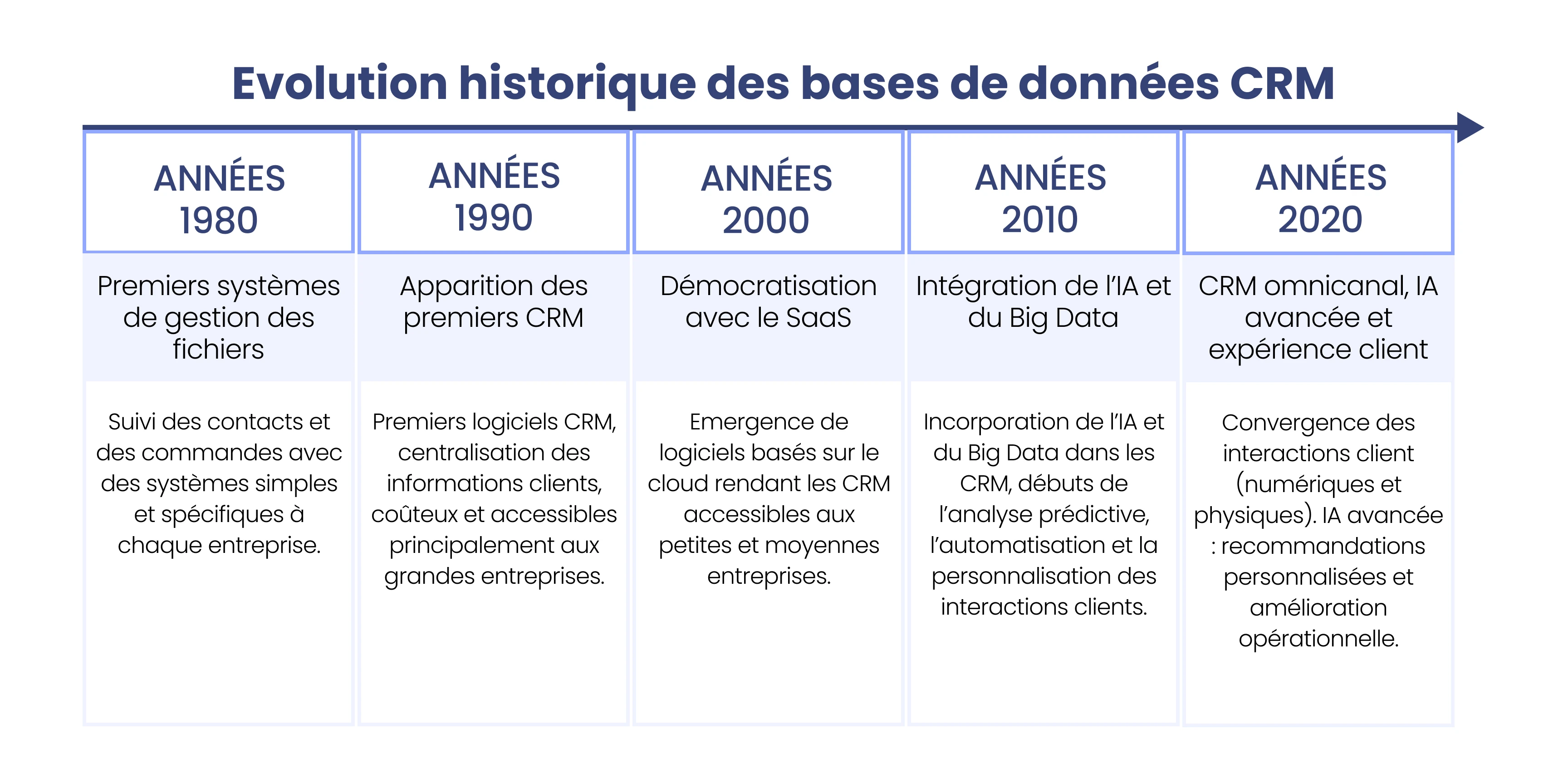
Historical Evolution of CRM Databases
And for the curious minds, let's wrap up with a quick history note!
Sales databases first became essential to facilitate information reporting at the time when mobile sales forces began adopting computers.
With the rise of the web, digital marketing, and e-commerce, CRM became a central tool for customer acquisition and loyalty. The evolution of Customer Relationship Management (CRM) and the automation of sales and marketing tasks reinforced the role of databases, which are now the pillar of business transaction activity.
More recently, big data and artificial intelligence (AI) have further increased the power of information systems, allowing for improved efficiency, automation, and personalization of customer interactions. The list of fields of action is impressive and continues to grow:
Predictive analysis (e.g., purchases, risk of cancellation);
Communication automation (e.g., emails, lead qualification);
Chatbots and virtual assistance;
Identification of marketing segments;
Personalized recommendations;
Etc.
Sidely: The CRM Enriched with Qualified Databases
There is, however, an exception. And if you sell your products in supermarkets, we have good news for you! 😎
→ When you get equipped with the Sidely CRM, you gain access right from your first login to all the supermarket points of sale you target.
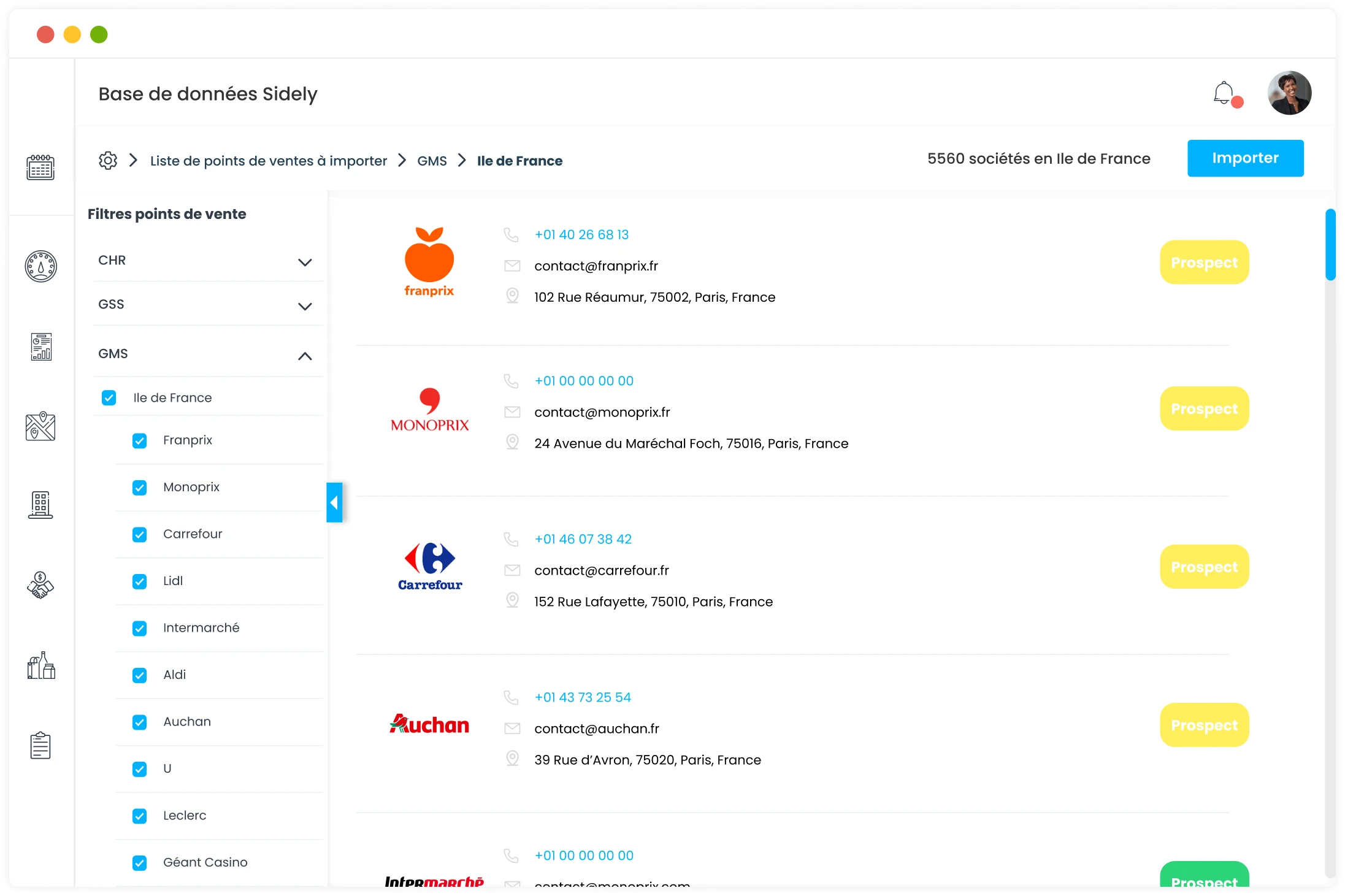
The CRM is implemented with updated data from establishments, pre-qualified. It is then up to you to complete and enrich this base with your information (current sales, assigned region manager, established distributor, etc.) to make it your own.
This little revolution in the CRM world brings you a major competitive edge. By having a geolocated base of your prospects and clients, you can optimize your commercial routes!
In addition, you can tap into our survey forms designed to facilitate the feedback of field information into your CRM database. Assortment, facings count, numerical distribution, POS, number of promotional events sold, etc. We have thought of everything!
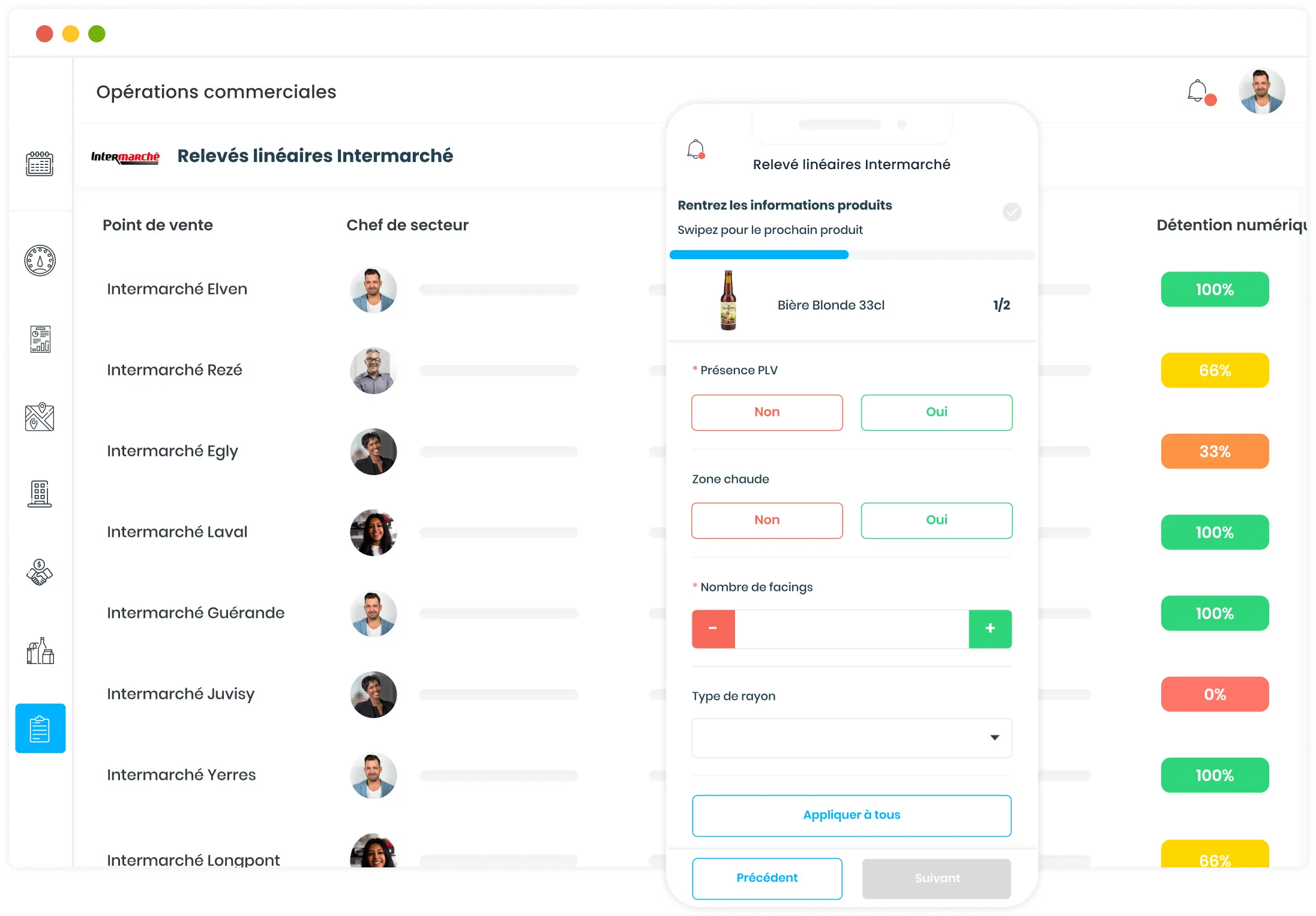
There is no customization effort to plan during the CRM setup phase, as we have already thought of everything FMCG brands need to drive their performance!
It was by observing the still-fledgling digitalization of sales forces that Arthur envisioned Sidely. A graduate of EM Lyon and Le Wagon, he combines a rare commercial rigor with a true product culture. This dual expertise allows him to decipher the shifts in the profession and build a product that truly speaks to sales teams.
See also

Artificial intelligence and field professions: what our 2026 studies reveal
Adoption, barriers, use cases: discover what our three studies reveal about the role of AI among sector managers, sales representatives, and foodservice sales reps.

CHR and RHF Sales Representatives: portrait of a relationship-driven profession in the era of data
Equipment, productivity, AI: discover the major trends for the HORECA and food service sales profession in 2026 through our field study.

Pharmaceutical Sales Representative in France: Portrait of a Field Job Under Pressure
Compensation, aspirations, AI usage: discover the major trends in the pharmaceutical sales representative profession in 2026 through our field study.

Area Sales Managers in France: who are they and how is the profession evolving in 2026?
Compensation, aspirations, AI usage: discover the major trends in the field sales representative profession in 2026 through our field study.
The area manager professions in 2026
Discover the trends, the challenges, and the key figures.