

The checklist for choosing your CRM/SFA in 2026
Before signing a CRM contract, you should have answered 50 questions. We have gathered them into a checklist that you can use starting today, tailored for field and retail teams.

In short
6 min read
An effective CRM must be based on three fundamental pillars to guarantee adoption by teams: simplicity, speed, and reliability.
For field teams, the CRM must offer strong business adaptability, seamless mobility (both online and offline), and efficient data centralization.
The software must ensure full interoperability with other company systems (ERP, BI) to maintain the continuity of information flows.
The choice of tool must be preceded by an in-depth analysis of needs, technological integration capabilities, and functional fit based on the profile (brand or agency).
An effective CRM structures sales action by guiding users through all stages, from preparation to follow-up visits, while providing precise management and analysis tools.
In 2026, selecting a CRM/SFA software - Customer Relationship Management / Sales Force Automation - is crucial to optimize customer relationship management and the efficiency of your sales force.
Whether you are a brand with an in-house sales force or an agency offering outsourced sales force services, choosing the right CRM/SFA software is critical to staying competitive and efficient.
This article guides you through the essential criteria to make the most appropriate choice for your situation, and offers you the tools to select the solution that will best fit your company.
The Qualities of a Good CRM
Before detailing the questions to ask when choosing your future CRM, it is essential to define what makes a CRM good. A high-performing tool is not measured solely by the quantity of features it offers, but by the relevance of their design and their alignment with field usage.
Above all, a good CRM must be simple, fast, and reliable.
These three pillars, often cited by users themselves, determine software adoption by sales teams and the success of the overall project.
Simplicity: a clear, intuitive, and visual interface, which reduces the number of clicks and makes forms or surveys easy to complete.
Speed: a tool that truly saves time, whether in preparing visits, entering information, or generating reports.
Reliability: a stable solution, with few bugs, usable even with limited or non-existent connectivity, and guaranteeing real-time data synchronization.
Beyond these fundamentals, certain qualities set apart a CRM designed for field teams:
Business Suitability: the CRM must reflect operational reality, with relevant modules (routes, stock checks, orders, reporting...) and fields configurable according to needs.
Mobility: access must be fluid on smartphone and tablet, online or offline, to support daily traveling.
Data Centralization: all information (history, audits, photos, orders, exchanges...) must be gathered in one place to avoid data loss and double data entry.
Management and Analysis: the CRM must allow tracking of your performance indicators, identification of your commercial priorities, and management of your activity based on reliable data.
Interoperability: the tool must be able to communicate with the company's other systems (ERP, BI tools, business applications), to ensure the continuity of information flow.
Support and Collaboration: a good CRM facilitates managerial follow-up, constructive feedback, and encourages information sharing among users.
Finally, an effective CRM is not limited to storing or displaying data: it structures commercial action. It guides users in preparing, executing, and following up on their visits, while giving them the ability to adapt their strategy based on observed results.
In summary, the qualities of a good CRM lie as much in user experience as in functional relevance. It is this combination that makes it a true co-pilot, serving operational performance and strategic management.
Questions to Ask When Choosing a CRM/SFA
Before finalizing your choice of CRM/SFA, it is important to ask several key questions to ensure that the selected tool will effectively meet your needs.
Analysis of Your Specific Needs
Determine which customer relationship management and sales force automation processes you want to improve or automate, and identify the current pain points you are looking to solve with a CRM/SFA.
Why do I need a CRM?
Why does the current solution (if you have one) no longer meet my needs?
What is the main problem I wish to solve?
Solution Compatibility and Integration
You do not work with just one piece of software. Ensure that the CRM/SFA integrates well with your existing systems and tools and is compatible with your current technological infrastructure.
How can I integrate it with my tools?
Are the integrations simple to perform?
Are there pre-built integrations with the tools we already use?
Scalability and Customization
Is the software flexible enough to adapt to our changing needs? Can we customize it easily? Can it grow with our business? Can I customize it easily? Am I autonomous in managing my CRM? Is it customizable to meet unforeseen future needs?
Key Features
Verify if the software is flexible enough to adapt to your changing needs and if it allows easy customization to meet future requirements.
What specific features does the software offer? Do they match the requirements of our industry?
Does it offer key features adapted to our industry sector?
Are there unique features that would give us a competitive advantage?
Accessibility and Mobility
Make sure the software offers a good user experience across different devices and is easily accessible for on-the-go sales reps.
Is the software multi-device (mobile, tablet, computer)?
Does it work offline?
Is it a user-friendly CRM?
Security and Privacy Management
Check that the CRM/SFA has robust security measures and complies with current regulations, such as GDPR.
What security measures are in place to protect customer data?
What security measures are in place to protect my company's data?
Support and Training
Evaluate the level of technical support and the availability of training resources offered by the software provider.
What type of support and training is offered by the software provider?
In which language is it available?
Are there training resources to facilitate software adoption by the teams?
What is the level of technical support available?
Cost and Investment
Consider the total cost of ownership of the software, including upfront costs, license fees, maintenance costs, and any potential hidden costs.
Is the pricing model suited to our budget?
Are there implementation costs or development costs?
Analytics and Reporting Capabilities
Look for robust analytics and reporting tools that allow you to customize your reports and get real-time insights.
Does the software provide analytics and reporting tools to evaluate sales performance and customer relationships?
Can I customize my reports? Are these tools customizable based on our key performance indicators?
How much time do I need to get my analytics?
Can I export my dashboards, reports, and charts?
These questions are the first step in your analysis. They will help you select the solutions that best match your needs, and therefore filter out those that are too far off in alignment.
Once this initial "pruning" work is done, you will need to get into the details to ensure that the selected solution meets the needs of both management and the field. One of the mistakes to avoid during the selection and CRM tool implementation phases is not involving the teams and poorly identifying their needs. We will go into more detail on the features you need to equip a field sales force.
What Criteria to Choose Your CRM When You Are a Brand?
Your main objective as a brand distributed in supermarkets is to increase your revenue or market share by increasing the volume and/or value of your sales, while maintaining profitability.
To achieve this, you will mainly work on:
Increasing the number of store placements;
Increasing the number of items present in-store;
Ensuring proper presentation of your brand, mainly through merchandising.
In other words, leveraging the 4Ps (Price, Place, Promotion, Product). Your CRM/SFA must help you achieve this, without blowing your budget and investment.
We will therefore see below the indispensable criteria for choosing your CRM when you are a brand sold in mass distribution.
To help you, we have listed the following criteria (and many others) in a document to help you more easily structure your RFP for your future CRM/SFA - or select it.
Technical Aspects of the CRM
Is the solution SaaS or on-premise?
Is the CRM available on the Web?
Does the CRM work on mobile or tablet? Is it accessible on all download stores (does it work on Android like IOS?)
Does the CRM work offline?
Can I perform the same actions online and offline?
Is there automatic synchronization between the web version and the mobile version? If so, is it in real time when the mobile app is online?
Does the CRM integrate with other software?
Are there connections already developed with my tools or does the CRM solution have an open API?
Can I integrate my sell-out data?
Actions to Implement with the CRM
Activation and Customer Follow-up
Can I segment my points of sale?
Can I segment my contacts?
Can I tag my companies and contacts?
Can I enter the information necessary for good customer and prospect follow-up (business ID, store opening hours, parent company...)?
Do I have access to visit history (display of all information)?
Can I create filtered views?
Can I assign points of sale to the sales rep in charge?
Do I have access to qualified databases for my market? Do these databases include store codes?
Planning Sales Actions
Does the CRM have an interactive map?
Does the CRM have a list view?
Does the CRM have features that improve the productivity of area managers, such as lasso selection?
Can I display the calendar directly in the CRM?
Can I add tasks to the calendar from the CRM? Is there automatic synchronization between the two (CRM to calendar, and vice versa)?
Can I write emails from the CRM? Is there automatic synchronization between the two (CRM to mailbox, and vice versa)?
Can sales reps receive reminders (such as on visit frequencies, if a store has not been visited enough based on target)?
Can I plan tasks in bulk (visits, calls, emails)?
Can I easily plan sales routes?
Can sales routes be optimized (store hours, start and end point, department manager availability...)?
Can sales reps link their routes to mobile applications (Google Maps, Waze, City Mapper...)?
Data Collection
Can I collect data directly from mobile or tablet?
Can I customize stock check and survey forms based on the KPIs my brand tracks?
Can I create as many survey forms as I want?
Is it possible to require mandatory validation on forms?
Is it possible to take photos?
Are photos embedded into the audit forms?
Is it possible to take voice notes?
Are voice notes embedded into the audit forms?
Is it possible to complete multiple audits for one store? Are these audits integrated into my company profile?
Do forms have conditional logic (showing or hiding questions based on previous answers)?
Is it possible to make fields mandatory in forms?
Can forms be pre-filled based on the last visit?
Operations Tracking
Can I track my commercial operations and their impact?
Can I track my promotions and their impact?
Can I track the correct setup of POS materials for operations?
Does information about future commercial operations and promotions reach sales reps easily? Do they get reminders on their phones?
Can I track my orders in my CRM?
Data Analysis
Can I calculate all KPIs? For example, numeric distribution by chain, product, assortment, store, geographical area, or sales rep?
Can I customize my reports?
Can I customize my dashboards?
What is the time granularity on which I can perform my analyses?
Can I calculate my sell-out by store, product, or retail chain?
Can I easily export or copy-paste my charts and reports to other files?
Administration and Settings
Can I customize the CRM display based on the sales representative?
Can I manage access rights to different information based on individual roles?
Can I easily add a new user? Can I easily deactivate a former user?
Can I divide views in the CRM by territory?
Can I import all my data (store, product, assortment, order, sell-out...)?
Can I export my data?
Does the solution offer support? Are there training sessions for me and my teams? Do I have access to ongoing training?
Is it possible to know if my sales reps are currently in a meeting?
How to Properly Choose Your CRM When You Are a Sales Agency?
As a sales agency, your objective is twofold:
Meet your client's needs: increase their revenue or market share, by increasing the volume and/or value of their sales, while maintaining profitability by optimizing the marketing mix.
Prove your efficiency and ROI to the brand that employs you.
Your CRM/SFA must help you achieve this, without blowing your budget and investment.
We will therefore see below the indispensable criteria to choose your CRM when you are a sales agency.
To help you, we have listed the following criteria (and many others) in a document, to help you choose your future CRM/SFA.
Administration
Can I customize the CRM display based on the brand?
Can I manage access rights to different information based on individual roles? In a multi-brand context, can I manage access rights to different information based on individual organizations?
Can I easily add a new user? Can I easily deactivate a former user?
Is the CRM quickly operational?
Does the CRM have deployment costs?
Can I divide views in the CRM by territory?
Can I import all data (store, product, assortment, order, sell-out...)?
Can I export data?
Does the solution offer support? Is there training for sales forces using the CRM/SFA? Do they have access to continuous training?
Is it possible to know if sales reps are currently in a meeting?
Technical Aspects of the CRM
Is the solution SaaS or on-premise?
Is the CRM available on the Web?
Does the CRM work on mobile or tablet? Is it accessible on all download stores (does it work on Android like Apple?)
Does the CRM work offline?
Can sales reps perform the same actions online and offline?
Is there automatic synchronization between the web version and the mobile version? If so, is it in real time when the mobile app is online?
Does the CRM integrate with other software?
Are there connections already developed with my tools (or those of my client) or does the CRM solution have an open API?
Can I integrate sell-out data?
Actions to Implement with the CRM
Activation and Customer Follow-up
Can I segment stores?
Can I segment contacts?
Can I tag companies and contacts? Can these tags be customized based on the client?
Can I enter the information necessary for good customer and prospect follow-up (business ID, store opening hours, parent company...)?
Do I have access to visit history (display of all information) before taking on the contract?
Can I create filtered views?
Can I assign stores to the sales rep in charge?
Do I have access to qualified databases for my client's market? Do these databases include store codes?
Planning Sales Actions
Does the CRM have an interactive map?
Does the CRM have a list view?
Does the CRM have features that improve the productivity of area managers, such as lasso selection?
Can I display the calendar directly in the CRM?
Can I add tasks to the calendar from the CRM? Is there automatic synchronization between the two (CRM to calendar, and vice versa)?
Can I write emails from the CRM? Is there automatic synchronization between the two (CRM to mailbox, and vice versa)?
Can sales reps receive reminders (such as on visit frequencies, if a store is not visited enough based on target)?
Can I plan tasks in bulk (visits, calls, emails)?
Can I easily plan sales routes?
Can sales routes be optimized (store hours, start and end point, department manager availability...)?
Can sales reps link their routes to mobile applications (Google Maps, Waze, City Mapper...)?
Data Collection
Can I collect data directly from mobile or tablet?
Can I customize stock check and survey forms based on the KPIs that the brand tracks?
Can I create as many survey forms as I want?
Is it possible to require mandatory validation on forms?
Is it possible to take photos?
Are photos embedded into the audit forms?
Is it possible to take voice notes?
Are voice notes embedded into the audit forms?
Is it possible to complete multiple audits for one store (multi-shelf or multi-category)? Are these audits integrated into the company profile?
Can I complete multi-brand audits? Are these audits integrated into each brand's store files (without other brands being able to see them)?
Do forms have conditional logic (showing or hiding questions based on previous answers)?
Is it possible to make fields mandatory in forms?
Can forms be pre-filled based on the last visit?
Operations Tracking
Can I track my commercial operations and their impact?
Can I track my promotions and their impact?
Can I track the correct setup of POS materials for operations?
Can I categorize?
Does information about future commercial operations and promotions reach sales reps easily? Do they get reminders on their phones?
Can I track my orders in my CRM?
Data Analysis
Can I evaluate performance from P0 (start of contract)?
Can I calculate all KPIs? For example, numeric distribution by chain, product, assortment, store, geographical area, or sales rep?
Can I customize my reports?
Can I customize my dashboards?
What is the time granularity on which I can perform my analyses?
Can I calculate my sell-out by store, product, or retail chain?
Can I easily export or copy-paste my charts and reports to other files?
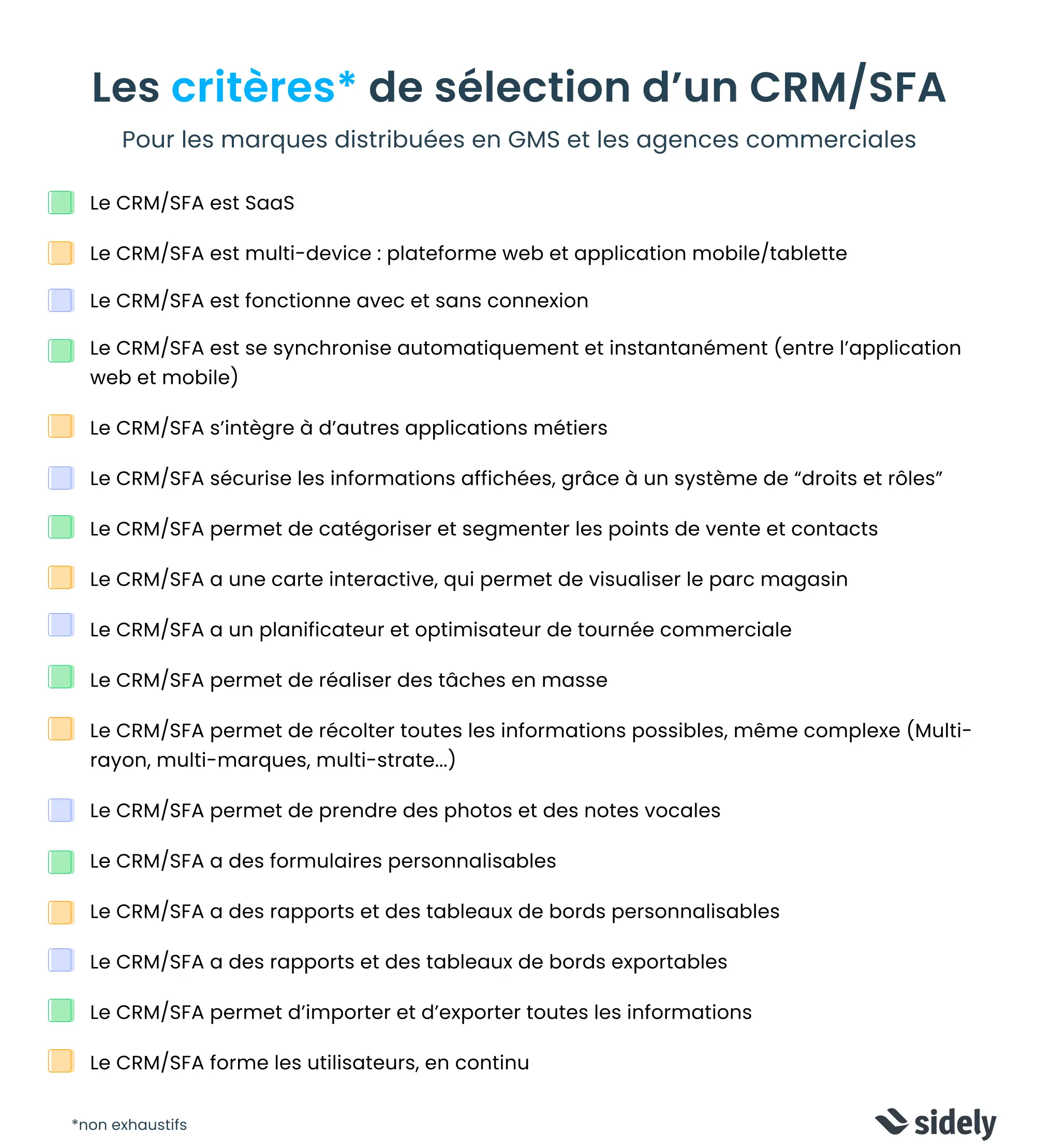
By carefully considering these criteria and questions, you will be able to select a tool that not only meets your current needs, but is also capable of adapting to the evolution of the market and your sales strategies.
Margot has been working in Tech and SaaS for 8 years, with a multi-product experience that has given her a unique understanding of business challenges. On a daily basis, she analyzes, relentlessly tests, and relies on facts to shed light on market trends and help sales teams move forward.
See also

Artificial intelligence and field professions: what our 2026 studies reveal
Adoption, barriers, use cases: discover what our three studies reveal about the role of AI among sector managers, sales representatives, and foodservice sales reps.

CHR and RHF Sales Representatives: portrait of a relationship-driven profession in the era of data
Equipment, productivity, AI: discover the major trends for the HORECA and food service sales profession in 2026 through our field study.

Pharmaceutical Sales Representative in France: Portrait of a Field Job Under Pressure
Compensation, aspirations, AI usage: discover the major trends in the pharmaceutical sales representative profession in 2026 through our field study.

Area Sales Managers in France: who are they and how is the profession evolving in 2026?
Compensation, aspirations, AI usage: discover the major trends in the field sales representative profession in 2026 through our field study.
The area manager professions in 2026
Discover the trends, the challenges, and the key figures.