

Choosing a CRM: Integrations are becoming a central criterion
ERP, emailing, BI, data warehouse… A well-integrated CRM multiplies its value. But if poorly chosen, it becomes a bottleneck in your IS. Here is a concrete guide to choosing the right connections.

In short
6 min read
The strategic importance of interoperability between the CRM and other building blocks of the information system.
The benefits of automating data flows between CRM, ERP, and emailing tools.
The challenges of real-time synchronization with Business Intelligence solutions and data warehouses.
The technical criteria for evaluating the quality of connectors and the robustness of APIs.
The operational risks associated with poor integration and how to avoid data silos.
A methodology for prioritizing connectivity needs when selecting a new tool.
In a hyper-connected world where there are apps for - almost - everything, choosing a new software program necessarily involves questioning how it will communicate with your company's IT ecosystem.
CRM (Customer Relationship Management) is no exception; integrations have even become a decisive factor in the choice of a new commercial software.
Does this affect you? Welcome: today, Sidely deciphers for you all the challenges of CRM integrations.
CRM Integration: Definition
CRM integration involves connecting customer relationship management (CRM) software to other systems or applications used by the company. It is a computer program that allows these applications to interact in a logical and automated manner.
The objective of CRM integration is to optimize the collection, storage, and analysis of customer data, or to be able to trigger actions impacting other applications from your commercial software. This can involve several aspects, which we group together in the following table.
Purpose | Description |
|---|---|
Data Integration | Synchronize customer data between the CRM and other systems such as marketing tools, sales platforms, customer support systems, etc. |
Business Process Integration | Improve and ensure consistency in business processes by automating workflows between the CRM and other systems. |
Communication Integration | Integrate communication channels like emails, phone calls, or social media to centralize all customer interactions within the CRM. |
Analytics and Reporting Integration | Leverage data collected in the CRM by combining it with other data sources for deeper insights and custom reporting. |
Third-Party Application Integration | Add extra functionality to the CRM by integrating third-party applications, such as automated marketing tools, social media management systems, etc. |
Integration thus aims to make the CRM system more powerful and efficient by linking it closely with other systems and applications used by the company, allowing for a more holistic and effective management of customer relationships, and eliminating silos inherent to businesses.
Connecting CRM and ERP
That is why connecting CRM to ERP (Enterprise Resource Planning) is crucial for many businesses. Indeed, this integration allows for improved operational efficiency, optimized business processes, and the delivery of a higher quality customer experience.
In practice, two principles will generally guide this integration project:
The efficient synchronization of customer data between the two systems, ensuring a unified and consistent view of all customer interactions, from sales to post-sales services;
A more efficient management of commercial processes, aligning sales and customer service operations with finance, logistics, and inventory management functions.
Benefits of CRM Integrations
Whether they affect data circulation or process automation, CRM integrations make it possible to pursue numerous operational goals:
Centralization of customer data from different sources;
Process automation such as sending personalized emails based on customer behavior or automatically updating data in multiple systems at the same time;
Increased productivity by allowing teams to free themselves from manual data entry and updating tasks, and focus on higher-value-added activities;
Improved customer experience by giving sales and support teams access to centralized and up-to-date customer information;
Power and relevance of reporting by compiling data from all sales and marketing tools;
Limitation of error risks by creating automated processes that drastically reduce human error.
🤖 Trend toward automation
Process automation is not all that new. But the arrival of artificial intelligence in our daily business applications is reshuffling the cards. This trend is expected to accelerate the deployment of smart processes in all fields, whether it is marketing, manufacturing, or commercial prospecting.
Another emerging trend in automation is the use of no-code or low-code applications. Microsoft is one of the pioneers in this area, with its flagship product Power Apps, a platform that allows users to build applications without coding, and then connect them to automate interactive processes.
A New Criterion for Choosing Commercial Software
In an economic context marked by a strong trend toward the paperless transformation of business processes, mobile apps - and business applications in general - are multiplying on our devices. The number of integrations therefore increases proportionally with the number of software tools your employees are likely to use to carry out their duties.
CRM providers are thus developing entire libraries of integrations to facilitate connection to third-party tools.
The stakes are high for companies, because the existing integrations in their future CRM represent additional computer programs they won't need to develop, or above all, maintain. Because let's not forget, integrations are computer programs, and must therefore be updated to ensure they remain operational and secure.
Consequently, the integration catalog is becoming an increasingly important selection criterion for companies wishing to buy a CRM. Let us recall its many benefits:
Compatibility with existing programs;
Reduction in implementation costs;
Sustainable technical support;
Scalability and innovation;
Data security.
Finally, it is worth noting that examining standard CRMs sometimes reveals a lack of adaptability to the most popular applications in your industry. In this case, you may want to look into sector-specific CRMs, solutions designed for specific industry needs.
Example of an Industry CRM and its Integrations
To introduce the topic of integrations to your CRM project, you can define what is called an integration portfolio, meaning the list of applications necessary for your employees to complete their missions.
To choose the right CRM, you can then ask yourself two questions:
Which integrations will my future CRM help prevent the need for?
Which integrations has my future CRM already developed?
Let’s take the example of brands that have a distribution network (large retail, specialty stores, hotels/restaurants, etc.). Companies that sell through indirect channels generally have a unique commercial approach, which reflects in specific operational methods and actions, such as on-site data collection (including shelf space and merchandising checks in supermarkets), or placing orders directly from the shelf or warehouse.
To optimize their sales performances, distributed brands can opt for an industry CRM like Sidely. Its special feature? All of the actions listed above are already possible from the mobile CRM, without needing any additional integration!
You have the answer to your first question.
Let's move on to the second one.
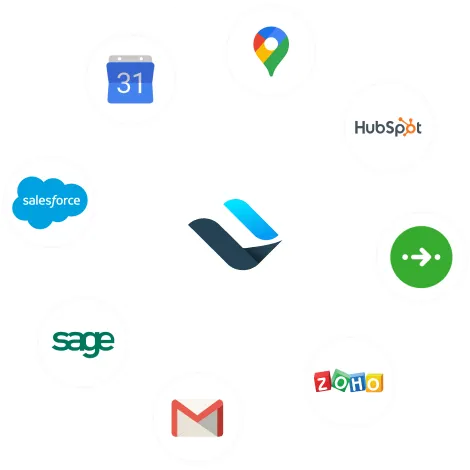
For any brand selling its products indirectly, it is essential to be able to organize geolocated sales rounds, and sometimes deal with different modes of transportation (especially in urban environments). You have the answer to your second question: Sidely offers all the software integrations essential to field sales, particularly in indirect sales. And our integrations do not stop there:
Mobility, e.g.: Google Maps, Citymapper, Waze;
Generic CRMs, e.g.: Salesforce, HubSpot, Zoho;
Communication solutions, e.g.: Gmail, Aircall;
Emailing software, e.g.: Mailchimp, Sendinblue.
And what if an integration is missing from your CRM?
If the integration of your dreams does not exist by default in your new CRM, you can try to develop it yourself.
To do this, let us look a bit closer into how integrations work.
Solutions that wish to facilitate the use of their data or processes by other software tools develop what are called APIs (Application Programming Interfaces).
An API is a set of protocols, definitions, and tools that allow different software programs to interact with each other. In other words, it is a set of rules and conventions that defines how software applications must communicate with each other. An API can provide various functionalities, such as access to databases, file management, sending network requests, etc.
It generally exposes a set of methods or functions that developers can use to access the features of a particular software program or service. For example, a geolocation API can provide methods to retrieve the geographical coordinates of a given address.
To confirm the feasibility of an API integration, you must understand that there are two types of APIs:
Open APIs: they are accessible to the public and allow any external developer to create applications that interact with the system or service offered by the API. These APIs are generally well-documented and available for use without restriction or with minimal restrictions;
Closed APIs: they are limited in their access and are not available to the general public. Their use is restricted to a specific number of users or applications, often controlled by the company or organization that provides them.
In the second case, developing a new integration is likely to present serious challenges for your IT department... It will probably be wiser to go through your CRM vendor or integrator, as they will be in a better position to open discussions with the vendor of the software program you wish to connect to.
For the past five years, Corentin has supported more than 200 sales teams, making him one of the longest-serving members of the company. He has seen the product evolve alongside the industries he supports, giving him a deep understanding of actual use cases. Between onboarding calls and training sessions, he has built up rare, hands-on expertise: knowing exactly what saves teams time.
See also

Artificial intelligence and field professions: what our 2026 studies reveal
Adoption, barriers, use cases: discover what our three studies reveal about the role of AI among sector managers, sales representatives, and foodservice sales reps.

CHR and RHF Sales Representatives: portrait of a relationship-driven profession in the era of data
Equipment, productivity, AI: discover the major trends for the HORECA and food service sales profession in 2026 through our field study.

Pharmaceutical Sales Representative in France: Portrait of a Field Job Under Pressure
Compensation, aspirations, AI usage: discover the major trends in the pharmaceutical sales representative profession in 2026 through our field study.

Area Sales Managers in France: who are they and how is the profession evolving in 2026?
Compensation, aspirations, AI usage: discover the major trends in the field sales representative profession in 2026 through our field study.
The area manager professions in 2026
Discover the trends, the challenges, and the key figures.