

Top 8 best mobile CRM apps for field sales representatives and mobile teams
Which mobile CRM should you choose for your field sales representatives? A comparison of the 8 best applications with selection criteria and key features for mobile teams.

In short
12 min read
Optimization for mobility: Unlike traditional CRMs, mobile CRM is designed for fast data entry, seamless access to information, and touch-screen usage in the field.
Operational necessity: For mobile teams, it reduces administrative tasks, ensures reliable data in real time, and boosts field productivity.
Essential features: A high-performing solution must offer a reliable offline mode, customer geolocation, efficient route management, and native order-taking.
Complementarity with desktop: The mobile application does not replace the desktop CRM but extends it as an operational tool, with the former focusing on strategy and the latter on execution.
Selection criteria: Choosing an application should be based on user-friendliness, ease of use for sales representatives, the ability to structure retail audits, and seamless data synchronization.
A mobile CRM app is a CRM application designed to be used from a smartphone or tablet. It allows sales teams to access their customer data, enter visit reports, manage their pipeline and customer portfolio, and organize their tours directly in the field. Unlike a traditional CRM designed for desktop use, a mobile CRM application is optimized for mobility, fast data entry, and offline access.
For field sales representatives, area managers, or regional directors, having a mobile CRM is no longer a luxury, but a necessity. Sales cycles are shorter, data must be updated in real time, and sales performance relies on rigorous field execution.
Faced with the variety of available solutions, it can be difficult to identify the best mobile CRM app for your team. Not all are designed for field realities, especially regarding route planning, geolocation, or offline mode.
In this article, we offer you a detailed comparison of the 10 mobile CRM applications, with their key features, strengths, and limits, in order to help you choose the most suitable solution for your field sales representatives.
What is a mobile CRM app?
Simple definition of a mobile CRM application
A mobile CRM app, or mobile CRM application, is customer relationship management software accessible from a mobile device. It allows users to view and update customer data, track sales opportunities, and record interactions without needing a computer.
In practice, a mobile CRM provides access to the essential features of the CRM, adapted for tactile and nomadic use: quick viewing of customer files, voice or written note-taking, adding photos, tracking tasks, and updating the pipeline.
Simple definition of a mobile CRM application for field sales forces
A mobile CRM application for field sales forces is customer relationship management software accessible from a smartphone or tablet, designed to be used directly in the field. It allows on-the-go sales representatives to manage their sales routes, view their customer data, prepare their visits, and enter key information (surveys, reports, photos, etc.) without using a computer.
Unlike a classic CRM designed for office use, a mobile CRM app dedicated to field teams is optimized for mobility. The interface is simplified, navigation is fast, and essential actions are accessible in seconds. Its main objectives are to make sales data more reliable and increase field productivity by reducing administrative tasks performed after the fact.
Mobile CRM vs. Desktop CRM: what are the limits?
A mobile CRM and a desktop CRM pursue the same goal, but their uses and limits differ greatly. For field sales forces, understanding these differences helps in choosing a tool truly adapted to the field.
The limits of a desktop CRM for field sales representatives
A desktop CRM is generally designed for office use, with a rich interface and many advanced features. This functional depth is an asset for analysis or administration, but it often becomes a constraint on the go.
Its main limits for a field team are:
An interface not adapted to a mobile screen
A format (the computer) not adapted to sales rep mobility
Complex navigation between modules
Slow and unintuitive data entry on a smartphone
Strong dependency on an internet connection
In practice, this translates to actions delayed until later (end of the day or even end of the week), forgotten information, and irregular updates of the CRM.
The limits of a mobile CRM
Conversely, a mobile CRM application is designed to get straight to the point. It prioritizes execution speed and immediate access to key data. However, this specialization sometimes involves certain limits:
Fewer advanced settings accessible directly from the application
More synthesized reporting capabilities than on desktop
Administration often performed from the web version
Sometimes limited integrations on the mobile side
In other words, a mobile CRM does not completely replace the desktop CRM, but becomes its operational extension in the field.
This is why, at Sidely, we prioritize both: a web CRM on the computer to prepare actions, structure activity, refine sales strategies, and make decisions, and a mobile CRM on a smartphone or tablet that offers all the reactivity necessary to prepare, visit, and pilot effectively at the point of sale. By combining the two, you trigger a virtuous circle: target, plan, visit, analyze, adjust... and repeat, for field execution perfectly aligned with your strategic decisions.
⚠️ Mobile version of desktop vs native mobile application
All CRM solutions claim to offer mobile access to their sales software. However, some solutions offer a simple mobile variation of their desktop CRM. Yet, there is a major difference between a mobile version of a desktop CRM and a native mobile application designed for the field.
A mobile version of the desktop is generally an adaptation of the web CRM for a smaller screen. It includes existing modules, often with a simplified interface, but retains the initial logic of the software. The interface and navigation are therefore designed for desktop-first use and not mobile-first.
Conversely, a native mobile application is developed specifically for iOS, Windows, or Android environments. It fully exploits the smartphone's features and meets the constraints of mobility. It is designed and developed for use on the go.
The real difference is not in the features offered but in the ergonomics, execution speed, and offline capability. Remember to ask your CRM vendor when you want to change solutions.
Why do field sales representatives need a mobile CRM?
For sedentary sales reps or marketing teams, a desktop CRM may suffice. On the other hand, for area managers, sales agents, or multi-site retail teams, the lack of a smartphone CRM truly designed for mobility quickly creates a gap between field reality and the data available at headquarters. I would even go further because I believe that the mobile CRM is the future of sales because it offers flexibility, simplicity of use, and real-time information that revolutionize sales follow-up.
The issue is therefore not to oppose mobile CRM and desktop CRM, but to ensure that the mobile version is not a simple technical adaptation, but rather a tool designed for route planning, geolocation, point-of-sale surveys, and quick data entry after a visit. And thus, mobile CRM offers better adoption by teams. The world adapts to new uses, and these are proving to be increasingly mobile. Whether for your youngest sales reps (Gen Z) or your oldest (Baby Boomers, Gen X), simplicity of use will convince your sales reps to use a CRM.
Because without an adapted mobile CRM application, field teams risk delaying the entry of surveys and reports, and thus forgetting important information.
Details of the 8 best mobile CRM applications
The elements presented in this article constitute an analytical summary of publicly available information on each solution. They offer an initial framework for comparing different mobile CRM apps, but do not replace an in-depth analysis of your specific needs. If you are considering deploying a new CRM application, we recommend consulting the vendors directly, requesting a demo, and evaluating the features in detail to verify their alignment with your organization and sales processes.
Sidely Pro
Sidely is a French software publisher specializing in CRM and SFA solutions dedicated to field sales forces. Its mobile application, Sidely Pro, is designed to support field sales representatives in planning their routes, tracking at the point of sale, and reporting operational information.
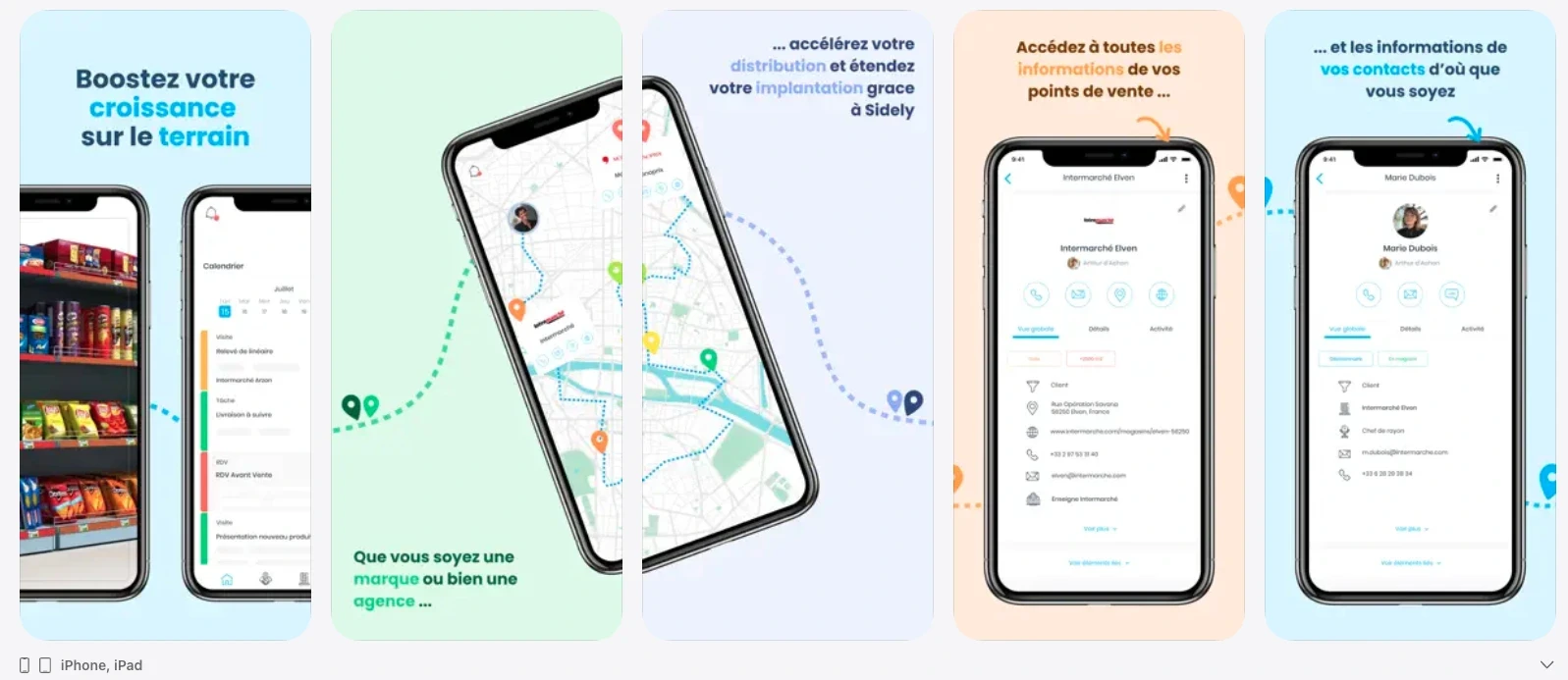
Screenshot of the Sidely Pro solution on the App Store
Key mobile features
Geolocation of points of sale
Integrated map and route plan logic
Navigation via third-party apps like Google Maps or Waze
Planning and management of visits
Structured visit reports
Field surveys (presence, merchandising, competition, numeric distribution, etc.)
Order taking
Tracking dashboard
Offline mode announced
Instant and automated synchronization
For what type of team?
Sidely Pro is particularly suited for retail, FMCG, specialized distribution, and point-of-sale network field teams. It is suitable for area managers, regional managers, field sales representatives, and pharmaceutical representatives who need to combine route planning and structured field data collection.
Advantages and potential limits
Advantages:
Strong field orientation and point-of-sale execution
Integrated map + route logic
Surveys and forms adapted to retail needs
Highlighted offline mode
Limits:
Relatively limited volume of public reviews on the App Store
Less oriented toward marketing automation or complex sedentary CRM
Zoho CRM
Zoho CRM is a recognized international player in general CRM. Its mobile application aims to offer continuity of use between the desktop version and mobile use, with a wide range of commercial features.
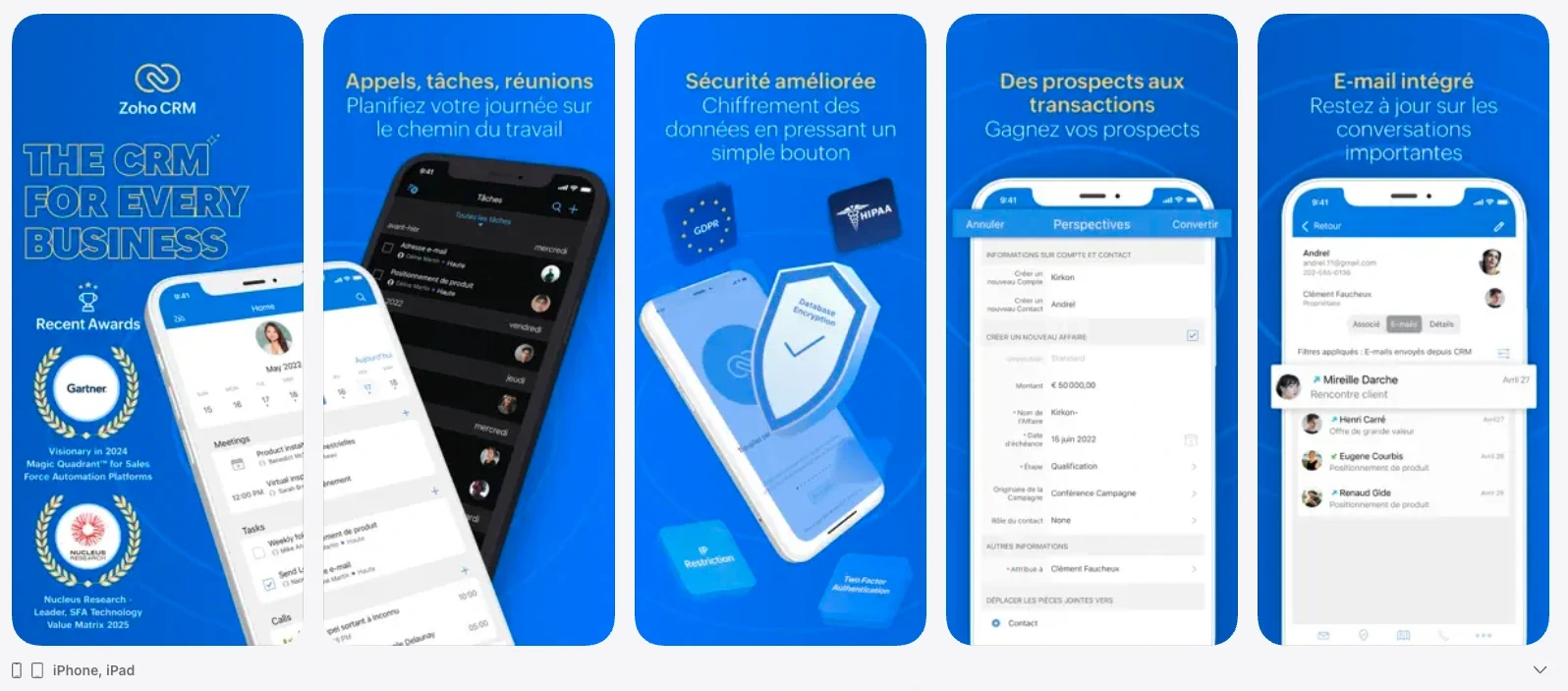
Screenshot of the Zoho CRM solution on the App Store
Key mobile features
Management of tasks, appointments, and calls
Reminders and notifications
Global search
Attachments and customer history
“Near me” feature to identify nearby customers
Visit check-in
Navigation to customers and opportunities
Offline mode announced
Automatic synchronization announced
For what type of team?
Zoho CRM is suitable for multi-team SMEs and mid-market companies, with hybrid sales reps combining field and desk work. It is relevant for organizations looking for a broad ecosystem CRM, integrating marketing and sales.
Advantages and potential limits
Advantages:
Complete and widely distributed solution
Good volume of user reviews
Offline mode available
Collaborative features
Limits:
Customization can be perceived as complex on mobile
Mobile experience sometimes considered dense
Offline sync dependent on specific settings according to user feedback
Not specifically oriented toward complex retail surveys as standard
noCRM.io
noCRM.io positions itself as a solution dedicated to opportunity management and prospecting. Its philosophy is based on pipeline simplicity and sales action rather than exhaustive data centralization.
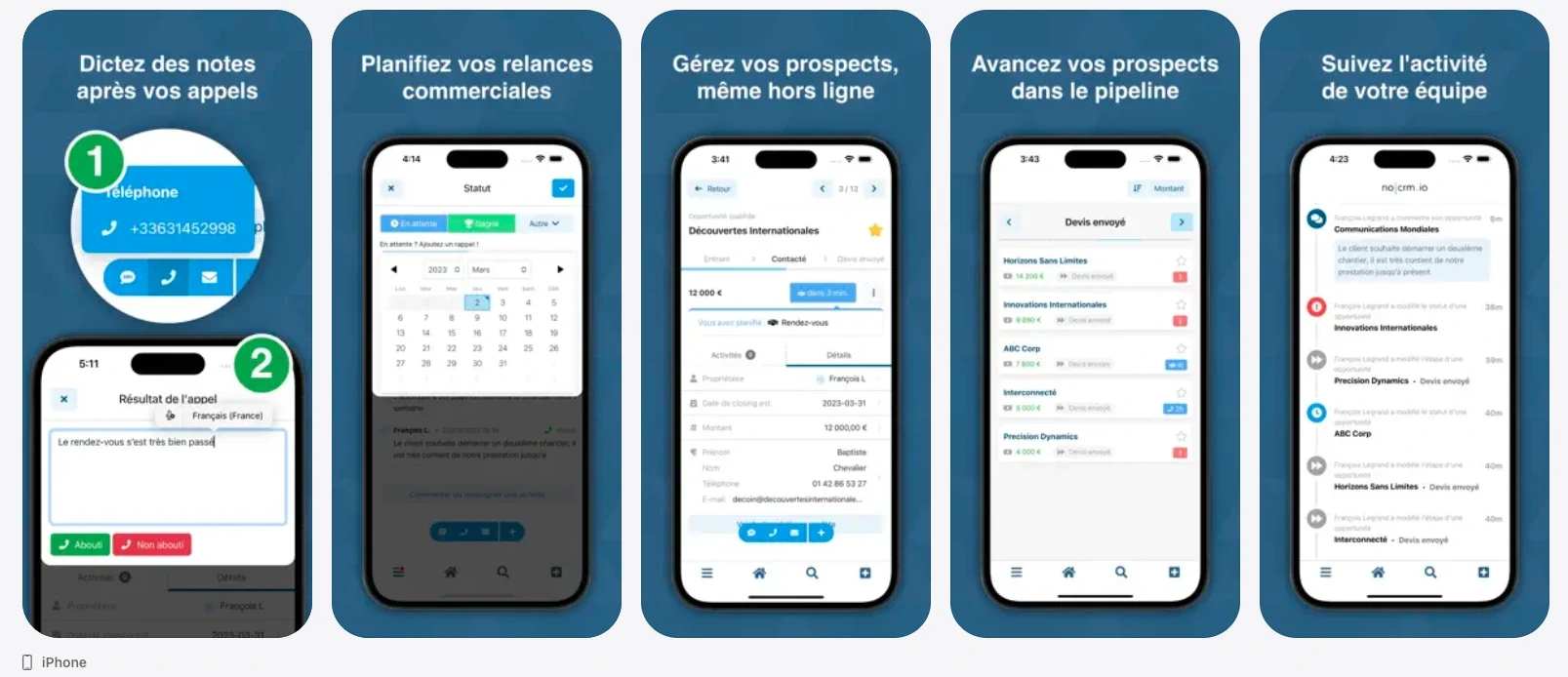
Screenshot of the noCRM solution on the App Store
Key mobile features
Management of individual and team opportunities
Quick update of pipeline stages
Lead assignment
Direct contact via call, email, or WhatsApp
Sales action tracking
Public information focuses more on the pipeline than on route or mapping features.
For what type of team?
noCRM.io is suitable for B2B, SDR, and prospecting-oriented sales teams with simple or intermediate sales cycles. It is suitable for organizations seeking sales discipline without CRM heaviness.
Advantages and potential limits
Advantages:
Simplicity of use
Sales action-oriented logic
Good user rating on mobile
Limits:
Few public details on integrated map, geolocation, or routes
Positioned more as a pipeline than field SFA
Less adapted to structured point-of-sale survey needs
Moovago
Moovago is a French CRM application designed for field sales reps and sales agents. Its interface highlights mapping as the main entry point.
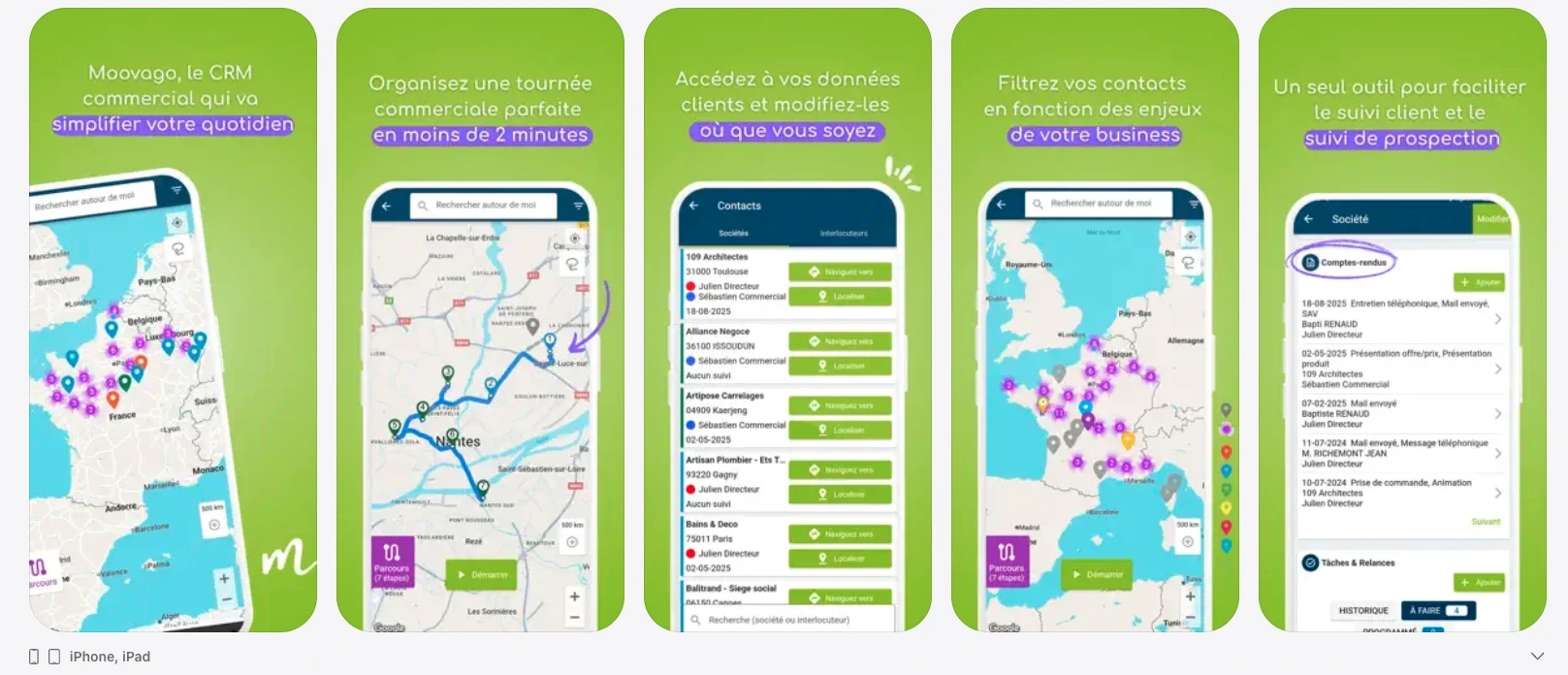
Screenshot of the Moovago solution on the App Store
Key mobile features
Integrated interactive Google Maps
Customer and prospect mapping
Route and tour management
Tasks, reminders, and follow-ups
Appointments
Written or dictated reports
Revenue tracking
Team and multi-mandate mode
Real-time synchronization announced
For what type of team?
Moovago is suitable for small businesses, SMEs, independent sales agents, and multi-card representatives looking for a solution centered on maps and daily organization.
Advantages and potential limits
Advantages:
Strongly mapping-oriented interface
Perceived simplicity by users
Good rating on the App Store
Limits:
Few reviews on specialized platforms
Positioning less oriented toward complex retail surveys
Offline mode not explicitly documented
Nomadia
On the main mobile stores, currently accessible applications are segmented by job or use case: Nomadia Field Service, NomadiaPharma Mobile, and Nomadia TourSolver.
Nomadia also offers an option specifically dedicated to field sales forces under the name Nomadia Sales. To date, we have not identified a native application on the app stores bearing explicitly the name "Nomadia Sales."
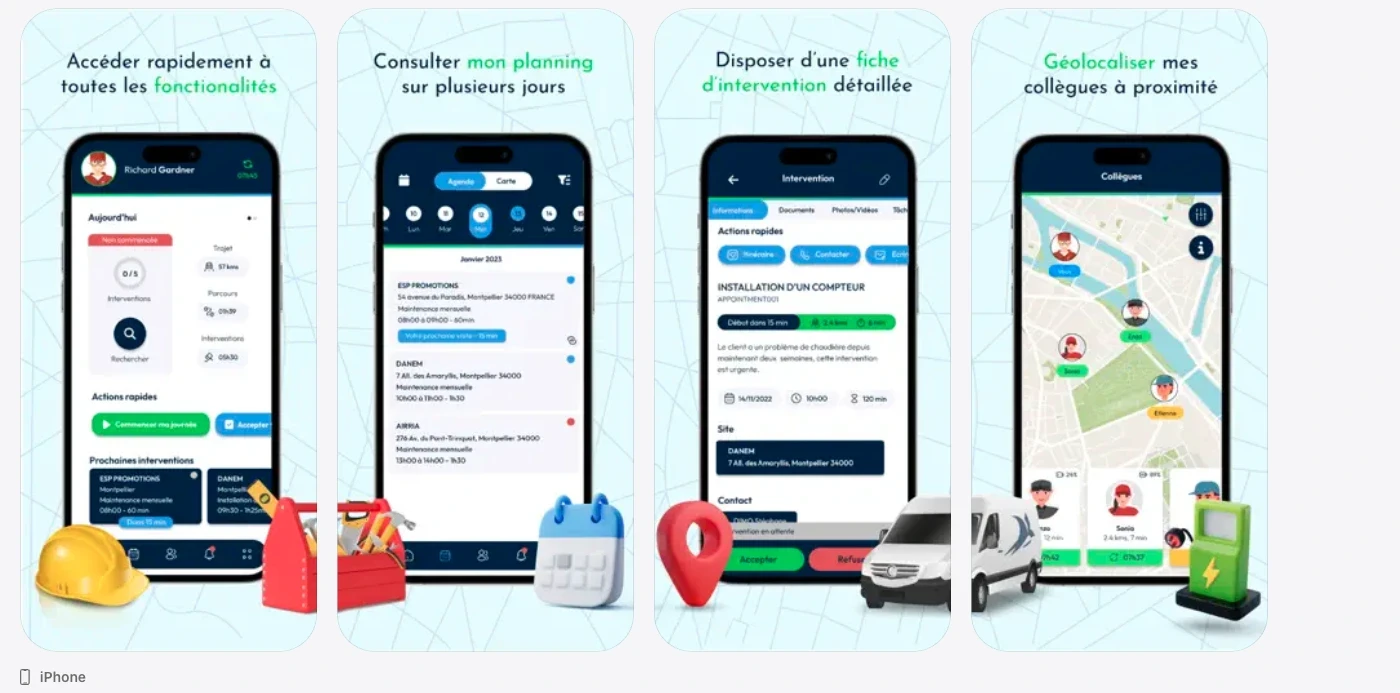
Screenshot of the Nomadia Field Service solution on the App Store
Key mobile features
Depending on the application:
Schedule and mission management
Routes on map
Digital reports with signatures and photos
Industry-specific surveys (pharma in particular)
Integrated navigation
Offline mode depending on the application
Real-time information reporting
Functional coverage is distributed across several separate applications.
For what type of team?
Field Service: technicians and intervention teams
NomadiaPharma: healthcare and pharma sales forces
TourSolver: teams conducting planned routes or missions
Advantages and potential limits
Advantages:
Business specialization
Advanced reporting and proof-of-visit features
Structured route and intervention logic
Limits:
Segmentation by application can complicate deployment; less centralized if the goal is a single mobile CRM for retail sales reps
Limited user ratings depending on the apps
The CRM solution dedicated to field sales representatives (excluding pharma) does not seem to have a native mobile application
Yuto
Yuto is a mobile CRM oriented toward field sales, with a strong focus on order taking and sales reporting.
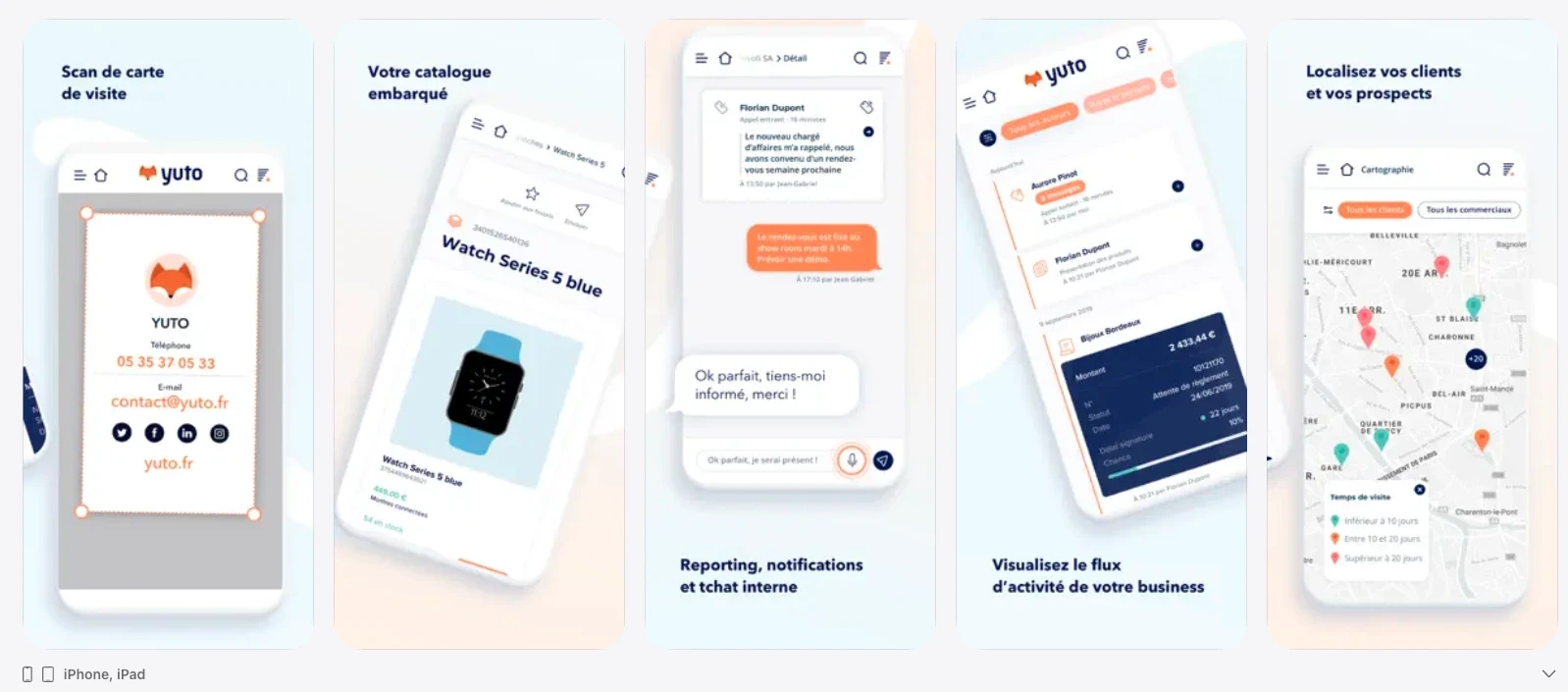
Screenshot of the Yuto solution on the App Store
Key mobile features
Integrated product catalog
Customer and prospect files
Mapping connected to Waze
Telephone prospecting
Purchase history/frequency tracking
Quotes and order taking
Automatic reporting
Custom fields
Offline mode announced
Real-time synchronization
For what type of team?
Yuto is suitable for field teams with a strong need for rapid order taking, particularly in B2B or retail distribution.
Advantages and potential limits
Advantages:
Strong order orientation
Offline mode available
Waze navigation integration
Limits:
Moderate volume of reviews
Sometimes mixed user reviews
Less focused on complex merchandising surveys
Pipedrive
Pipedrive is a pipeline-oriented CRM, very common in SMEs. Its mobile application extends the desktop experience on the go.
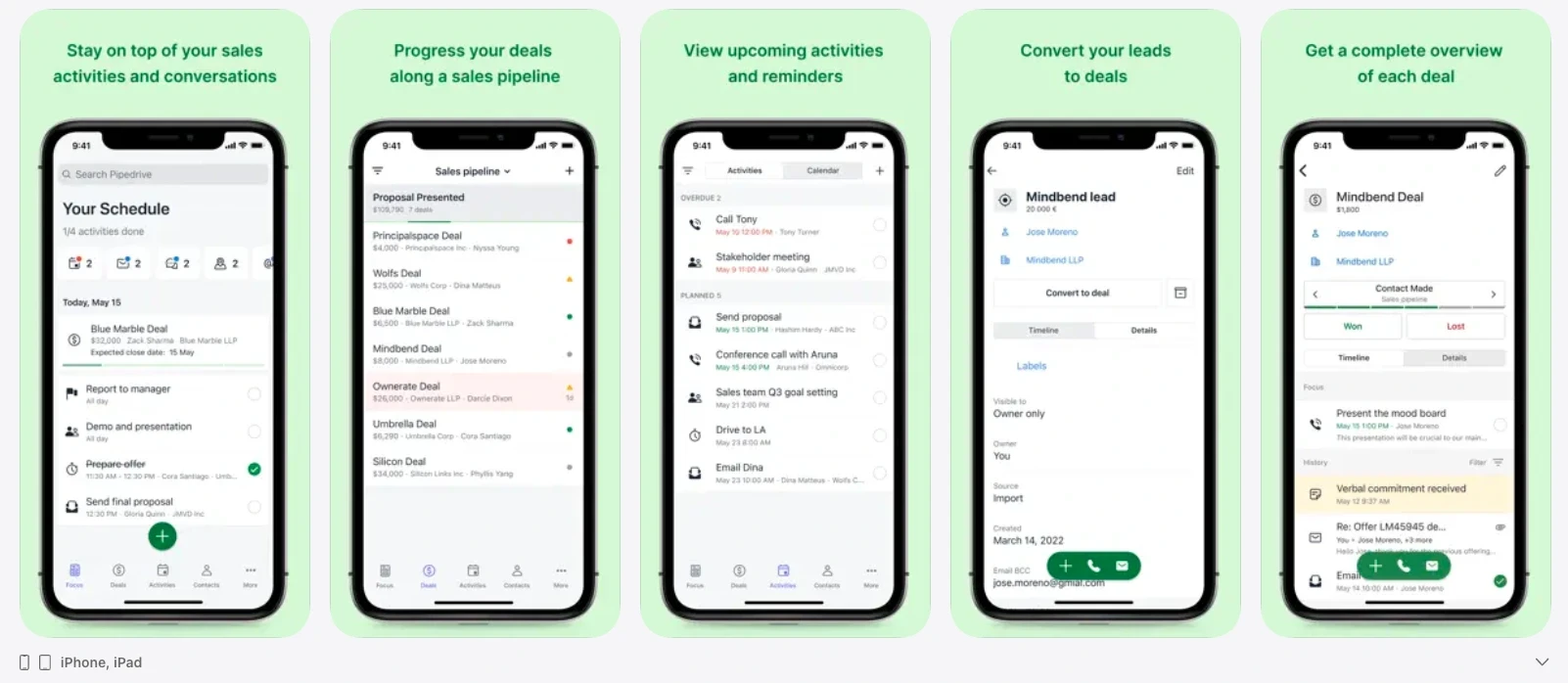
Screenshot of the Pipedrive solution on the App Store
Key mobile features
Access to contacts, opportunities, and tasks
Notes and activity tracking
Calendar view
Instant synchronization
Offline synchronization announced
The integrated map is not highlighted in the iOS version, and some users mention its absence.
For what type of team?
Pipedrive is suitable for B2B teams with a structured pipeline and sales cycles tracked primarily by opportunity.
Advantages and potential limits
Advantages:
Pipeline management simplicity
Good overall reputation
Efficient synchronization announced
Limits:
Less route- and map-oriented
Not specifically designed for field retail surveys
Mobile application centered on the pipeline rather than field execution
Sage Sales Management (ForceManager)
Sage Sales Management, historically ForceManager, is a mobile-oriented CRM solution for field sales teams.
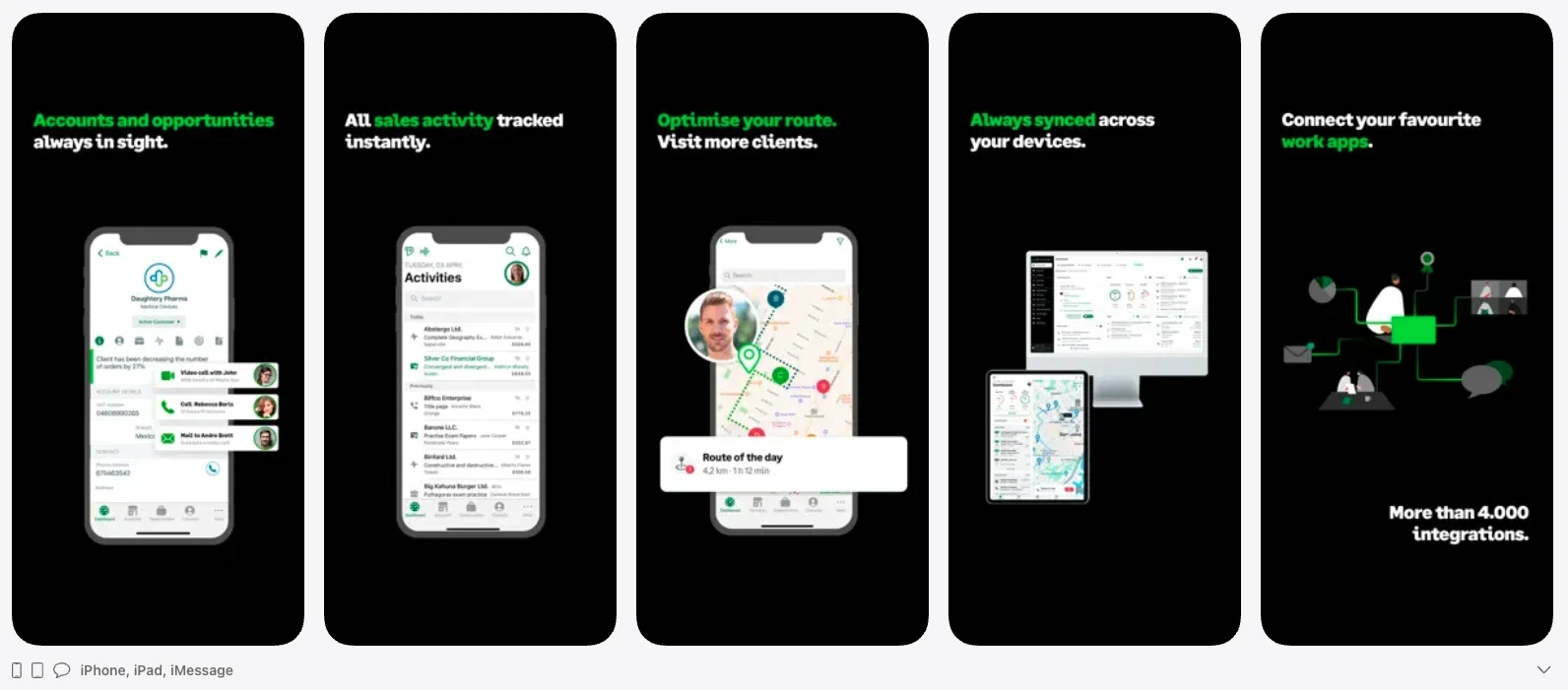
Screenshot of the Sage Sales Management solution on the App Store
Key mobile features
Calendar and email synchronization
Offline mode
Documents accessible on the go
Sales route for route planning
Automatic data update when returning online
For what type of team?
Sage Sales Management is suitable for field sales teams looking for a structured mobile CRM with route planning and offline continuity.
Advantages and potential limits
Advantages:
Good reputation on review platforms
Clearly documented offline mode
Clear focus on mobility
Limits:
User feedback mentioning some integration issues
Less specialized in retail merchandising than some dedicated SFA solutions
Comparison table of the best mobile CRM apps
Legend: Yes / Partial / No / UD (= Undocumented by a clear public source)
App | Navigation | Geolocation | In-App Map | Schedule | Offline Mode | Sync Mode | Mobile UX (rating) | Surveys / Forms |
|---|---|---|---|---|---|---|---|---|
Sidely Pro | Via third-party apps (Maps, Waze, Citymapper...) - native integrations | Yes | Yes | Yes | Yes | Automatic synchronization. Real-time if internet connection available | App Store Rating: 4.0, Google Review: 4.6 | Yes, ready-to-use and/or customizable surveys |
Zoho CRM | Yes | Yes | Partial (locate/nearby, not necessarily "map" as main screen) | Yes | Yes | Auto-sync announced, but feedback varies by case | App Store Rating: 4.5 | Partial (check-in/visit, activity) |
noCRM.io | UD | UD | No | Yes | Yes | Automatic synchronization. Real-time if internet connection available | App Store Rating: 4.5 | Partial (rather opportunity tracking) |
Moovago | Integrated Google Maps (entry screen) | Yes | Yes | Yes | UD | Automatic synchronization. Real-time if internet connection available | App Store Rating: 4.9, Google Review: 4.8 | Partial (visit report / notes, dictation) |
Nomadia Field Service (tech/interventions) | UD | UD | Yes | Yes | Yes | Manual synchronization, triggered by user. Real-time if internet connection available. | App Store Rating: 2.8, Google Review: 4.3 | Yes (visit report, signature, photos, procedures) |
NomadiaPharma Mobile (pharma) | UD | Yes | Yes | Yes | UD | Manual synchronization, triggered by user. Real-time if internet connection available. | Not enough ratings | Yes (reports, surveys, photos…) |
Nomadia TourSolver (routes/deliveries/missions) | Yes | UD | Yes | Yes | UD | Manual synchronization, triggered by user (to planner). Real-time if internet connection available. | Not enough ratings | Yes (reports, signatures, photos, scan) |
Yuto | Connected to Waze | Yes | Yes | UD | Yes | Real-time (announced) | App Rating: 3.9 | Yes (order taking + reporting) |
Pipedrive | UD | UD | Yes | Yes | Yes | Automatic synchronization + instant | App Store Rating: 4.1, Google Review: 4.5 | Partial (activity/notes) |
Sage Sales Management | Yes (sales route) | Yes | Yes | Yes | Yes | Automatic synchronization. Real-time if internet connection available. | App Store Rating: 4.8, Capterra: 4.6 | Partial (activity tracking; proofs/visits depending on config) |
What features must a mobile CRM app for field sales representatives absolutely offer?
To be truly operational on the move, a mobile CRM app for field sales representatives must respond to the concrete constraints of the field: frequent travel, unstable connections, quick data entry, and daily performance management.
Here are the essential features to analyze before choosing a mobile CRM application.
A truly operational offline mode
Field teams often work in areas with irregular network coverage: rural areas, warehouses, supermarkets, basements.
An appropriate mobile CRM application must allow viewing and using the CRM offline (entering surveys, viewing store files, taking photos, etc.).
The data must then synchronize automatically as soon as the connection is restored. Without reliable offline mode, adoption by sales representatives quickly becomes difficult.
An integrated map and customer geolocation
For a field sales force, mapping is a strategic tool but also a real help. Visualizing customers on a map makes visit data more reliable and optimizes field coverage. Moreover, in the food service or hospitality sectors, it is important during prospecting phases to be able to quickly identify nearby prospects.
Route planning and optimization
A field-dedicated mobile CRM must integrate an efficient planning module.
This includes:
An integrated calendar
Quick creation and modification of visits
Route optimization
Integration with navigation applications
Customer priority management
Simple and structured visit reports
Data entry must be fast, intuitive, and standardized. A mobile CRM application for field sales representatives must allow for written or voice notes, adding photos, using customized surveys (product presence, prices, competition, merchandising, numeric distribution, etc.) but above all, facilitated and intuitive data collection.
Structured surveys guarantee usable data for management, rather than simple free comments.
Native order taking
A mobile CRM application for field sales representatives must, when the job requires it, allow for taking an order directly from the app, without using an external tool or re-entering information upon returning to the office.
Concretely, native order taking often involves:
A product catalog (references, variations, packaging)
Pricing (prices, discounts, commercial conditions)
Management of quantities, units, and packaging sizes
The ability to add comments or delivery instructions
Electronic signature
A clear summary before validation (order, quote, or pre-order)
Automatic export or sending of the order to the ERP or back-office (depending on the organization)
Fluid and seamless synchronization
Data synchronization must be invisible to the user, meaning automatic on the software side. An effective mobile CRM app avoids double entry and ensures that headquarters teams have real-time visibility into field activity.
A user experience truly designed for mobile
A mobile version simply adapted from a desktop CRM is not enough. A high-performance native mobile application must offer:
Short, action-oriented screens
Navigation in a few clicks
Fast loading times
Full compatibility with iOS, Windows, and Android
Useful push notifications
Native document sharing
The ergonomics directly condition the adoption rate by sales teams.
Usable field reporting tools
Finally, a mobile CRM app must not only collect data, but also allow for its analysis. This can include:
Mobile dashboards
Goal tracking
Coverage and frequency indicators
Performance visualization by sector
For sales representatives, this data helps them understand the progress of individual sales goals and assists them in achieving them.
For managers, this data allows precise steering of field activity.
It was by observing the still-fledgling digitalization of sales forces that Arthur envisioned Sidely. A graduate of EM Lyon and Le Wagon, he combines a rare commercial rigor with a true product culture. This dual expertise allows him to decipher the shifts in the profession and build a product that truly speaks to sales teams.
See also

Artificial intelligence and field professions: what our 2026 studies reveal
Adoption, barriers, use cases: discover what our three studies reveal about the role of AI among sector managers, sales representatives, and foodservice sales reps.

CHR and RHF Sales Representatives: portrait of a relationship-driven profession in the era of data
Equipment, productivity, AI: discover the major trends for the HORECA and food service sales profession in 2026 through our field study.

Pharmaceutical Sales Representative in France: Portrait of a Field Job Under Pressure
Compensation, aspirations, AI usage: discover the major trends in the pharmaceutical sales representative profession in 2026 through our field study.

Area Sales Managers in France: who are they and how is the profession evolving in 2026?
Compensation, aspirations, AI usage: discover the major trends in the field sales representative profession in 2026 through our field study.
The area manager professions in 2026
Discover the trends, the challenges, and the key figures.